A business phone system can look inexpensive until the first real month brings extra numbers, hardware, messaging fees, premium support, and AI add-ons. It can also look feature-rich while still sending valuable callers to the wrong person.
The right buying decision starts with a simple question: What should happen from the moment a customer calls until that conversation is resolved? Once that path is clear, you can compare reliability, routing, integrations, administration, and total cost without getting distracted by a long feature list.
This guide explains how to choose a business phone system for a US small business, which capabilities deserve priority, how to test providers, and what current public prices actually include.
Short answer: Choose a business phone system by mapping your real call flow first, defining the features required at each step, and testing every provider with the same scenarios. Compare the complete monthly cost, including users, numbers, calling, hardware, messaging, implementation, support, and optional AI. The best system is the one that handles normal calls and difficult exceptions reliably without creating unnecessary work for employees or callers.
What is a business phone system?
A business phone system manages how a company receives, routes, answers, transfers, records, and reports calls. Unlike a personal mobile plan, it can give a team shared company numbers, extensions, business hours, call queues, interactive voice response menus, voicemail rules, conferencing, permissions, and centralized administration.
Traditional private branch exchange systems depended heavily on equipment installed in an office. A cloud phone system moves most call control into software managed through the internet. Employees can usually make and receive business calls through desk phones, computers, or mobile apps while keeping the company number and call rules consistent.
Cloud does not automatically mean suitable. A five-person service company, a distributed sales team, and a busy support operation have different routing, reporting, continuity, and integration requirements. The selection process should reflect the work, not just the company size.
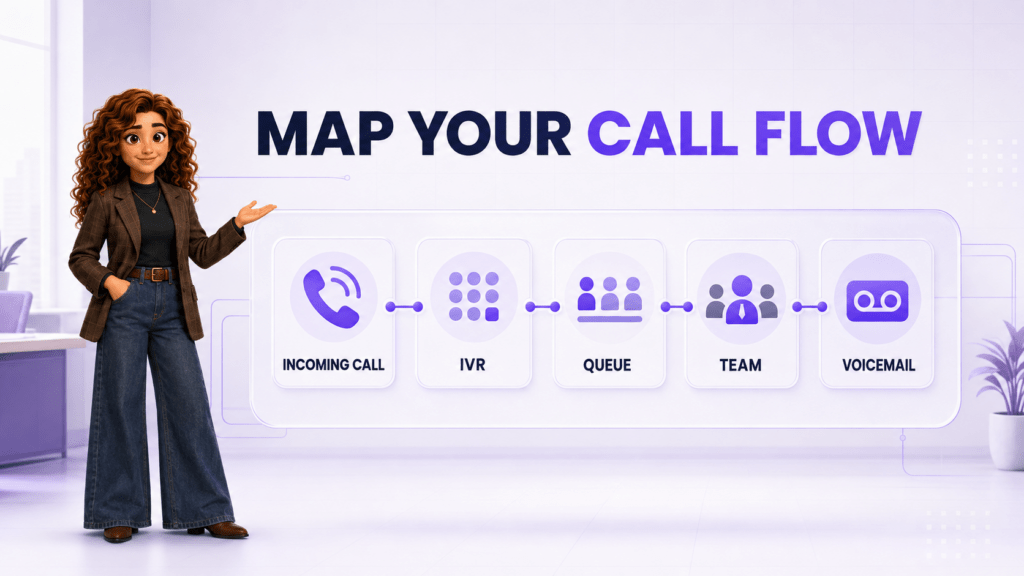
Map your call flow before comparing providers
Write down what happens to an incoming call during business hours, after hours, and when the intended employee is unavailable. Include the exceptions people currently solve by memory.
- Entry point: Which local, toll-free, main, campaign, or direct number did the caller use?
- Initial decision: Does the call go directly to a person, an auto attendant, an IVR menu, or a queue?
- Assignment: Which employee or team should receive it, and on which devices?
- Timeout: How long should each step ring before the system tries another route?
- Fallback: What happens when no one answers, the office is closed, or the connection fails?
- Follow-up: Where are voicemail, call details, notes, recordings, and required actions stored?
A useful map names an owner, timeout, and fallback for every stage. “Ring the sales team” is incomplete. “Ring the assigned representative for 15 seconds, then the sales queue for 25 seconds, then create a voicemail task for the on-duty manager” can be configured and tested.
Ten criteria for choosing a business phone system
1. Reliability and business continuity
What to look for: published availability commitments, service-status history, redundant infrastructure, automatic failover, outage communication, and a documented recovery process.
Ask what callers and employees experience when the office internet fails, a data center has a problem, or a user loses power. Can calls route to mobile devices or an alternate location? Can an administrator change routing without entering the office? A reliability claim matters only when the provider can explain how the system behaves during a failure.
2. Inbound routing that matches real demand
What to look for: business-hours rules, auto attendants, IVR, ring groups, queues, skills or priority routing, overflow destinations, voicemail, callbacks, and holiday schedules.
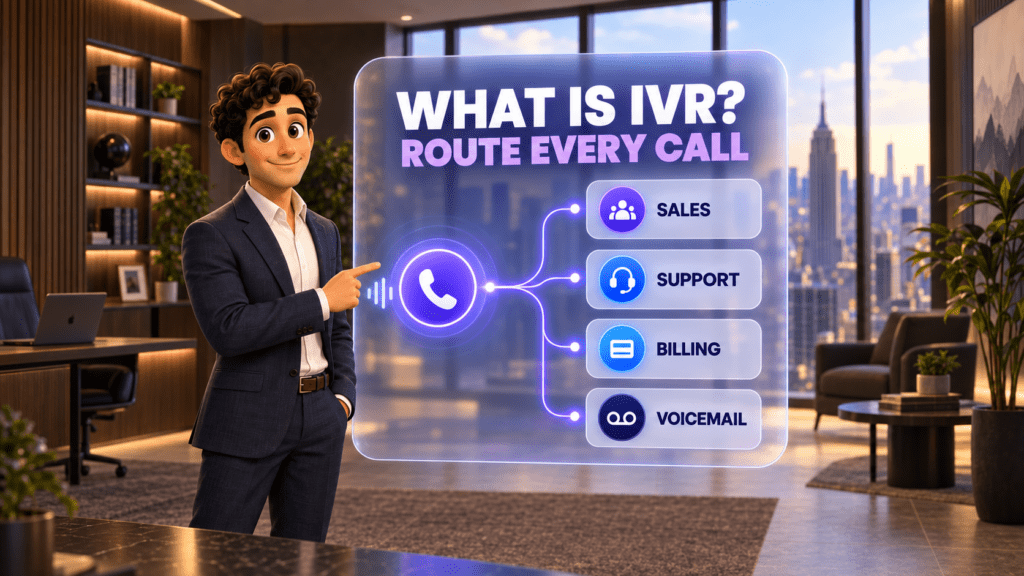
Do not treat IVR, ring groups, and queues as interchangeable. A ring group alerts several people according to a rule. A queue holds callers when agents are busy and distributes calls as employees become available. An IVR asks the caller for input and routes the call based on that choice. The right design may use all three, but unnecessary menus add friction.
If you need help deciding which structure fits, see Call Queue vs. Ring Group vs. IVR.
3. Business numbers and number porting
What to look for: local and toll-free availability, included numbers, direct numbers, extensions, porting support, temporary forwarding, estimated timelines, and ownership documentation.
Your established number is part of the customer relationship. Confirm the porting process before canceling the old service, and ask how incoming calls will be protected during the transition. The Federal Communications Commission explains number portability and advises customers not to terminate existing service before a port is complete.
Also decide whether employees need extensions, direct numbers, service lines, or a shared main number. The guide Who Needs an Extension, Service Line, or Direct Number? explains the operational differences.
4. Devices and remote-work experience
What to look for: browser, desktop, and mobile apps; supported desk phones; headset compatibility; call switching between devices; presence; and administrative control over personal-device use.
Test the weakest realistic connection, not only office Wi-Fi. Ask employees to answer, place, transfer, hold, and conference calls on the devices they will actually use. Confirm whether the provider requires proprietary hardware and whether existing phones can be reused.
5. Outbound calling and business messaging
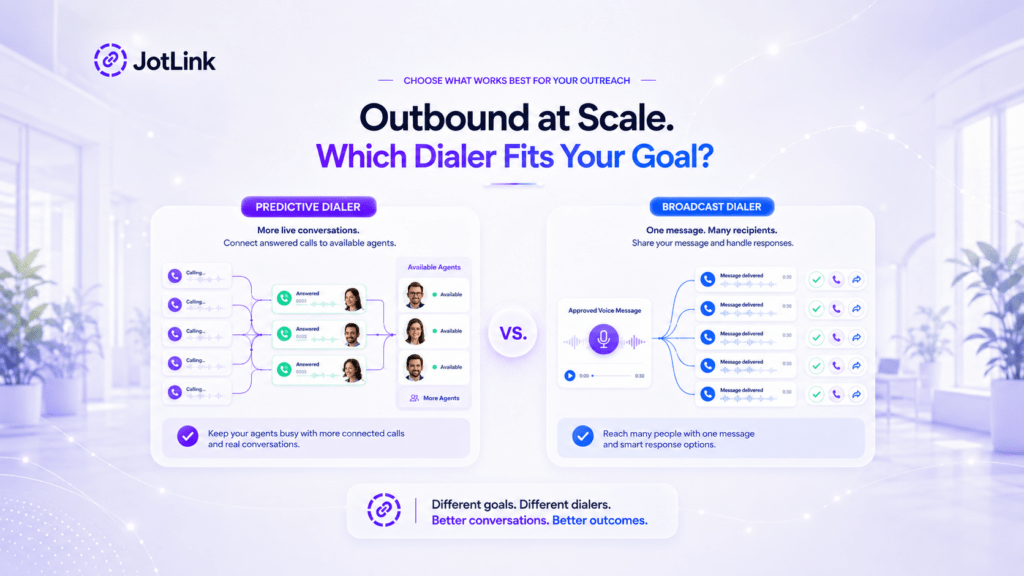
What to look for: caller ID control, click-to-call, power or predictive dialing when appropriate, call disposition, SMS and MMS support, messaging registration, fair-use rules, and international rates.
A phone plan labeled “unlimited” may still contain acceptable-use limits, excluded destinations, or separate fees. Messaging in the United States can require brand and campaign registration, with carrier or platform fees. Ask for the complete rate sheet and the rules that apply to your calling pattern.
6. CRM and workflow integrations
What to look for: screen pop, automatic call logging, contact matching, click-to-call, notes, dispositions, recordings, follow-up tasks, webhooks, API access, and integrations with your existing CRM.
The value of an integration is the work it removes. “Integrates with CRM” might mean a link that opens the contact, or it might mean a complete activity record with ownership and next steps. Demonstrate the exact flow using your system and a realistic customer record.
JotLink is designed to connect business telephony with CRM and business messaging in one communication environment.
7. Reporting, recording, and supervisor controls
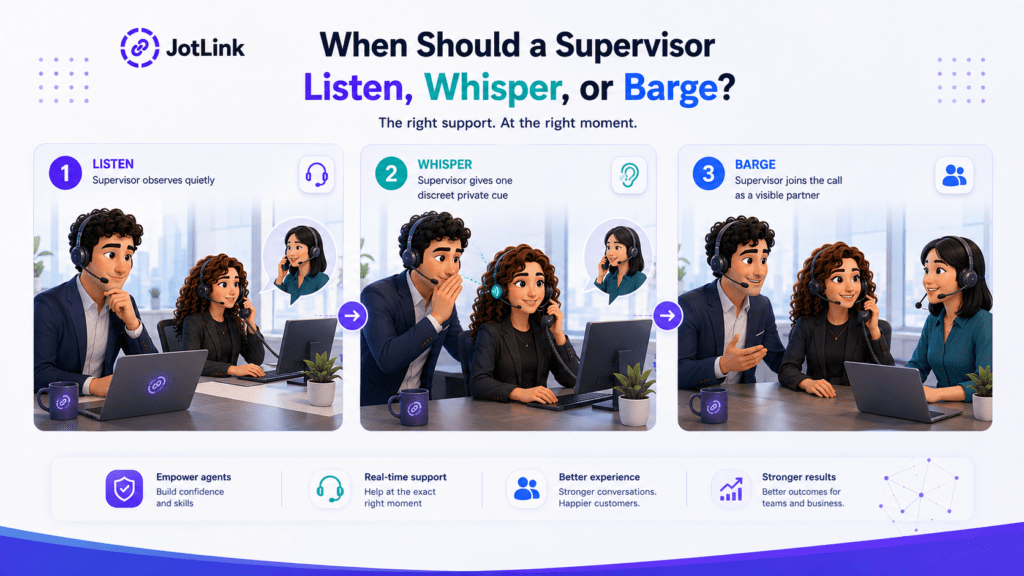
What to look for: missed-call reports, answer time, queue wait time, abandonment, call outcomes, recordings, retention settings, quality-review workflows, dashboards, exports, and supervisor tools such as listen, whisper, and barge.
Start with decisions managers need to make. Can they see which numbers or queues lose calls, when demand exceeds staffing, and which calls still need follow-up? If coaching is important, read Listen, Whisper, or Barge and confirm which controls are available in the proposed plan.
Recording laws and consent requirements vary. Ask qualified counsel what applies to your locations, callers, use cases, and retention practices before enabling recording.
8. Security and administration
What to look for: individual accounts, multifactor authentication, role-based permissions, encryption, audit records, device management, fraud controls, retention settings, and fast offboarding.
The Federal Trade Commission recommends building security into business decisions, limiting access according to need, using strong authentication, and reviewing service-provider safeguards. During a trial, confirm that an administrator can restrict international calling, remove a former employee, transfer ownership, and review important changes.
9. Scalability, support, and operational ownership
What to look for: easy user provisioning, reusable templates, multi-location management, support hours, response targets, onboarding help, documentation, and a clear escalation path.
Growth should not require rebuilding every routing rule. Ask how the system handles new locations, seasonal employees, shared lines, departments, and temporary schedules. Decide who inside the company owns numbers, users, permissions, routing, reporting, and vendor communication after launch.
10. AI capabilities with clear boundaries and pricing
What to look for: a defined use case, human handoff, error handling, disclosure controls, review tools, data access rules, usage limits, and separate pricing for each AI service.
An AI receptionist can answer routine questions, qualify callers, route conversations, or schedule next steps. AI analytics can transcribe or analyze recordings. These are different functions and should be evaluated separately from the core phone subscription.
For example, JotLink Phone System is $5 per user per month. The JotLink AI Voice Agent is separately priced at $5 per 100 minutes, and JotLink AI Analytics is separately priced at $1 per 100 minutes. Include only the services the workflow needs.
Separate must-have features from nice-to-have features
A short priority table prevents an attractive demo from turning every capability into a requirement.
| Priority | Definition | Business phone example | Decision rule |
|---|---|---|---|
| Must have | The call flow fails without it | After-hours routing to an on-call employee | Reject a provider that cannot demonstrate it reliably |
| Should have | Meaningfully improves service or administration | Automatic call logging in the CRM | Score it heavily and confirm the exact integration |
| Could have | Useful after the core system is stable | Advanced AI summaries for every call | Add it only when the use case and cost are justified |
| Not needed now | Does not solve a current or planned requirement | Complex contact-center tools for a three-person office | Do not pay for complexity the team will not use |
Describe each must-have as a testable behavior. “We need good routing” is subjective. “When no sales representative answers within 25 seconds, the call must move to the service desk and create a missed-call notification” produces evidence.
Test every provider with the same call scenarios
A vendor-led demo shows the smoothest path. A useful trial shows what happens in your business. Give each finalist the same scenarios and record the results.
Scenario 1: Several customers call at once
Place enough simultaneous calls to exceed available employees. Check queue announcements, wait experience, distribution rules, overflow, callbacks, reporting, and what managers can change in real time.
Scenario 2: A customer calls after hours
Verify the greeting, emergency option, on-call route, voicemail destination, notification, and next-morning follow-up. Test holidays and temporary closures too.
Scenario 3: The assigned employee is unavailable
Turn off the employee’s desktop and mobile apps. Confirm how presence is detected, when the call moves, who receives the missed-call alert, and whether another employee can see the context.
Scenario 4: A call moves between devices or locations
Answer on a desk phone or computer, transfer to another department, and continue on a mobile device. Listen for delay, audio problems, dropped calls, incorrect caller ID, and lost notes.
Scenario 5: A number is added or ported
Ask the vendor to show the order, verification, port-status, temporary-routing, and administrator screens. Confirm what documentation is required and who communicates with the losing carrier.
Scenario 6: The main connection fails
Disconnect the test user’s primary internet connection or device. Confirm whether calls fail, forward, enter a queue, or reach an alternate destination. Record how quickly administrators and callers are informed.
Score each scenario for caller experience, employee effort, administrator effort, visibility, recovery, and extra cost. A capability that requires a higher plan or paid add-on should be scored at its real price.
How much does a business phone system cost in the United States?
Most cloud phone systems charge per user per month, but the public prices below are not equivalent packages. Annual commitments, promotional terms, included numbers, calling limits, messaging fees, hardware, AI, and support can change the final invoice.
| Provider and plan | Public price in USD | Important context |
|---|---|---|
| JotLink Phone System | $5 per user per month | Core cloud PBX, routing, queues, extensions, recording, conferencing, and call-control features. AI Voice Agent and AI Analytics are separate usage-based services. |
| Dialpad Connect Standard | $15 per user per month on annual billing; Dialpad also lists $27 monthly | Confirm current billing options, SMS registration and usage, integrations, support, and which AI or advanced features require another plan. |
| Nextiva Core | $15 per user per month, billed annually; page also displays a $23 regular price | The displayed small-business offer has eligibility and term conditions. Confirm seats, contract length, phone hardware, implementation, and renewal pricing. |
| Quo Starter | $15 per user per month, billed annually, or $19 month-to-month | Includes one new or ported number per user and US/Canada calling and messaging subject to fair use. Messaging registration and monthly messaging fees may apply. |
| RingCentral RingEX | Dynamic price based on users and billing term | The official page advertises annual savings up to 33% and a free trial but does not expose one stable base price in its accessible public content. Its AI Receptionist add-on starts at $39. Request a current complete quote. |
Public prices were checked on official US provider pages on September 7, 2026. Promotions, packaging, limits, and contract terms can change. Verify the final quote before publishing a comparison or signing an agreement.
Calculate the full monthly and first-year cost
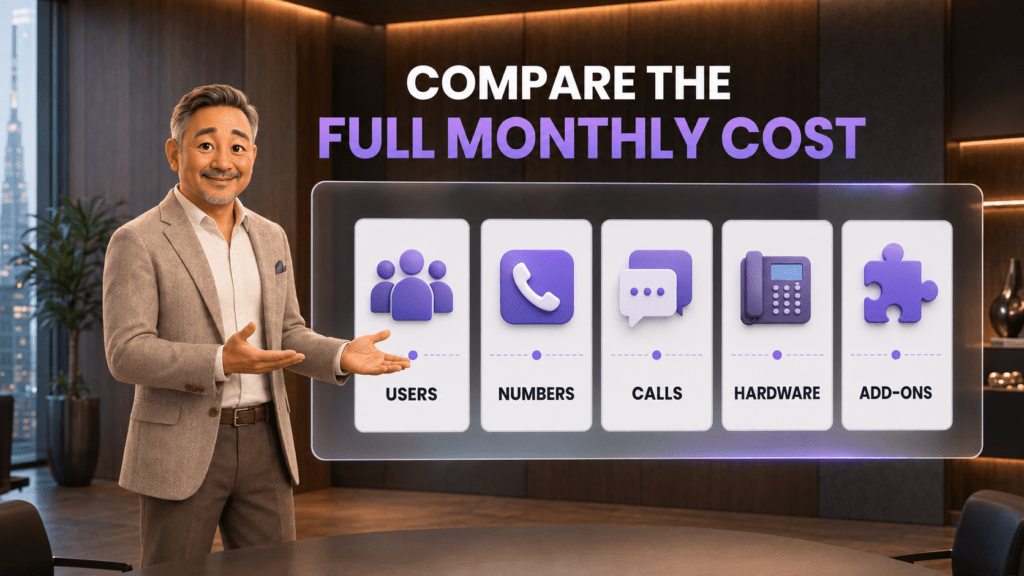
The advertised seat price is only the starting point. Build the same cost model for every finalist:
- Users: full users, shared-space devices, administrators, seasonal seats, and minimum commitments;
- Numbers: main, local, toll-free, direct, vanity, international, and temporary numbers;
- Calling and messaging: domestic limits, international minutes, toll-free usage, SMS registration, carrier fees, and overages;
- Hardware: desk phones, headsets, adapters, shipping, installation, replacement, and financing;
- Add-ons: recording, storage, analytics, AI agents, advanced routing, integrations, contact-center features, and premium support;
- Implementation: discovery, number porting, routing design, configuration, testing, training, and parallel service during migration;
- Taxes and regulatory fees: request an estimated invoice for your billing location rather than assuming the advertised subtotal is final.
First-year phone cost = subscriptions + numbers + usage + hardware + add-ons + implementation + taxes and fees.
How the main business phone options differ
JotLink: unified communications at a low core price
Consider JotLink when: the business wants cloud calling, routing, queues, extensions, recording, conferencing, and call control with a public base price of $5 per user per month, plus the option to connect CRM, Messenger, AI Voice Agent, and AI Analytics.
Evaluate the complete JotLink configuration required for your workflow. The $5 phone subscription should be compared as core telephony; separately priced AI and other product modules should be included only when selected.
Dialpad: communications with a strong AI-oriented product direction
Consider Dialpad when: the team wants calling, meetings, messaging, and AI-assisted communication in a mature cloud platform.
Map the required integrations, support, messaging usage, countries, and AI functions to the correct tier. Compare the annual commitment with month-to-month pricing and the cost of any advanced features.
Nextiva: a broader customer-experience suite
Consider Nextiva when: the company wants business communications connected to a broader customer-experience product family and is comfortable evaluating a term-based offer.
Confirm promotional eligibility, contract length, renewal price, included implementation, hardware, and the precise feature set attached to the quoted plan.
Quo: simple phone service for small teams
Consider Quo when: a small business values straightforward setup, shared numbers, calling, texting, and a month-to-month option.
Review fair-use policies, texting registration, messaging fees, number requirements, and whether the available routing, reporting, support, and integrations will remain sufficient as the team grows.
RingCentral: extensive communications and contact-center options
Consider RingCentral when: the business needs a large communications ecosystem, integrations, advanced administration, or a path toward contact-center capabilities.
Because the official pricing experience is dynamic, request a written quote that separates base seats, implementation, devices, AI, advanced queues, SMS, support, taxes, and renewal terms.
Use a weighted phone-system scorecard
Give each category a weight based on the business impact, then rate every provider from 1 to 5 using trial evidence rather than sales claims.
| Category | Example weight | Evidence to collect |
|---|---|---|
| Reliability and continuity | 20% | Failure test, service commitments, failover, and status communication |
| Call-flow fit | 25% | Results from the six real-world scenarios |
| User experience | 10% | Calling and transfer tests on actual employee devices |
| Integrations and reporting | 15% | Complete data flow, reports, exports, and remaining manual work |
| Security and administration | 10% | Permissions, authentication, audit history, fraud controls, and offboarding |
| Total cost | 15% | Complete first-year and three-year estimates |
| Support and vendor fit | 5% | Response quality, onboarding plan, documentation, and escalation path |
Change the weights to match the operation. A medical practice may give more weight to security, availability, and recording policies. A sales team may prioritize CRM integration, outbound workflows, and reporting. A multi-location service company may place routing and continuity first.
Run a 30-day pilot and migration
- Days 1-5: document and configure. Map current numbers, call flows, users, devices, hours, queues, voicemail, permissions, reports, and integrations. Assign an internal owner.
- Days 6-10: test with temporary numbers. Complete all six scenarios without disturbing the existing service. Record defects, workarounds, and paid dependencies.
- Days 11-15: pilot with a representative team. Include daily users, a manager, a remote employee, and the administrator. Collect caller and employee feedback.
- Days 16-20: finalize porting and fallback. Confirm documentation, port dates, temporary routing, support contacts, rollback boundaries, and customer communication if needed.
- Days 21-25: train around real tasks. Practice answering, transferring, parking, conferencing, changing availability, checking voicemail, reviewing missed calls, and escalating a service problem.
- Days 26-30: launch and stabilize. Monitor answer rate, missed calls, queue wait, transfer failures, audio quality, employee questions, and support response. Keep the former service active until number routing and critical workflows are verified.
Questions to ask every phone-system vendor
- Which features demonstrated today are included in the exact proposed plan?
- What is the complete price for our users, numbers, calling pattern, messaging, hardware, add-ons, taxes, and implementation?
- What changes after a promotion ends or the contract renews?
- Who owns our numbers, and what is the process for porting them in or out?
- What happens to inbound calls during an internet, device, carrier, or platform outage?
- How are emergency calling and E911 addresses configured for office and remote users?
- Which SMS registration, carrier, campaign, or monthly messaging fees apply?
- How are recordings protected, retained, deleted, downloaded, and audited?
- Which integrations are native, and which require a connector, custom work, or higher plan?
- How can we export users, numbers, call history, recordings, messages, contacts, and configuration data?
- What support hours, response targets, onboarding services, and escalation paths are included?
- Which AI services use separate minutes, credits, seats, or storage?
Common business phone selection mistakes
- Buying before mapping the call flow. The team ends up adapting to the platform because no one defined the required behavior.
- Comparing headline prices. Incomplete quotes hide numbers, hardware, usage, add-ons, implementation, taxes, or annual commitments.
- Using a polished demo as the trial. The vendor’s ideal scenario does not expose your routing exceptions, weak connections, or integration gaps.
- Canceling the old service too early. Number porting and launch verification need a continuity plan.
- Ignoring the caller experience. More menus and announcements do not necessarily create better service.
- Giving every user administrator access. Weak permissions increase the risk of fraud, configuration errors, and lost accountability.
- Adding AI without a defined job. AI should solve a measurable problem and have clear handoff, review, and cost controls.
- Leaving the system without an owner. Numbers, routing, permissions, reports, and employee onboarding need ongoing management.
Frequently asked questions
What is the most important feature in a business phone system?
The most important feature is reliable call-flow fit. The system must route normal and exceptional calls to the right destination, provide a clear fallback, and make missed work visible. Specific features matter only when they support that outcome.
How much should a small business phone system cost?
Public base prices in this comparison begin at $5 per user per month for JotLink and $15 per user per month on annual plans from several competitors. The real cost depends on users, numbers, usage, messaging, devices, add-ons, implementation, taxes, and contract terms.
Should a small business choose a cloud phone system?
A cloud system is often a practical fit for teams that want centralized administration, flexible devices, remote work, and software-based routing. The decision still depends on internet readiness, continuity requirements, integrations, security, support, and total cost.
Can a business keep its existing phone number?
Many numbers can be ported between providers, subject to location, account, carrier, and service conditions. Confirm eligibility and documentation with both providers, keep the existing service active, and do not cancel it until the port and inbound calling are verified.
What is the difference between a call queue, ring group, and IVR?
A queue holds callers and distributes calls as employees become available. A ring group alerts a defined set of users according to a pattern. An IVR collects caller input and uses it to select a route. A business may combine them in one call flow.
Does a $5 JotLink phone plan include AI?
The JotLink Phone System costs $5 per user per month for core telephony. JotLink AI Voice Agent is a separate service at $5 per 100 minutes, and JotLink AI Analytics is separate at $1 per 100 minutes. Calculate those services independently when the workflow needs them.
How long should a phone-system trial last?
A focused two-to-four-week pilot is usually enough to test call flows, devices, integrations, reporting, administration, and support. Number migration may take longer, so plan porting and continuity separately.
The bottom line
The best business phone system is not the one with the most features or the lowest number at the top of a pricing page. It is the one that handles your real calls reliably, gives employees enough context and control, protects the customer experience during exceptions, and remains affordable after every cost is included.
Map the call flow. Define testable must-haves. Run the same scenarios with every finalist. Compare complete first-year and three-year costs. Then migrate numbers only after routing, fallback, administration, and support have been verified.
Explore JotLink Phone System for $5 per user per month and request a demo.
Sources
- JotLink Phone System features and pricing
- JotLink AI Voice Agent features and pricing
- JotLink AI Analytics features and pricing
- Dialpad business phone system pricing
- Nextiva pricing
- Quo pricing
- RingCentral RingEX plans and pricing
- Federal Communications Commission: Keeping Your Telephone Number When You Change Service Provider
- Federal Trade Commission: Start with Security