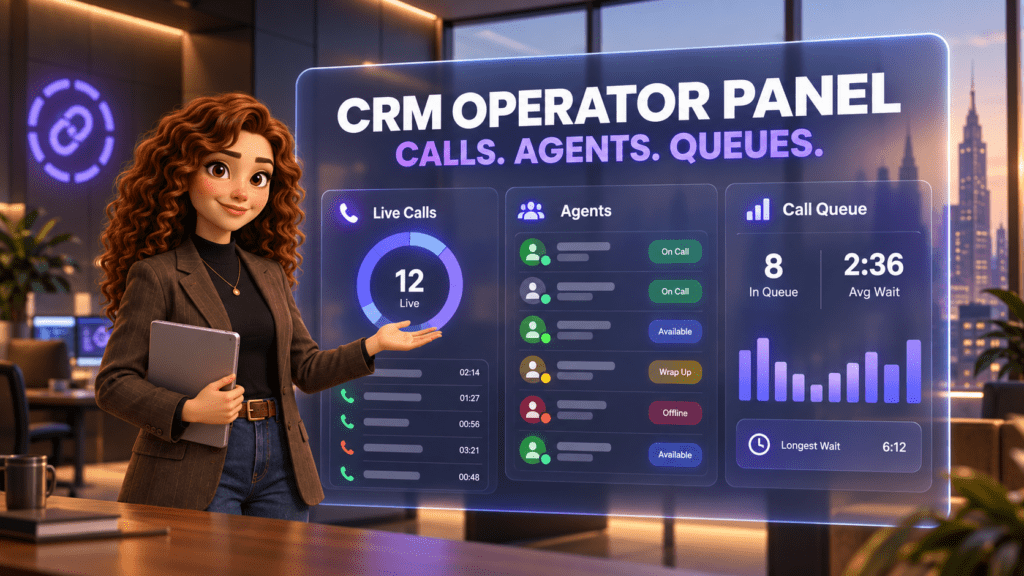
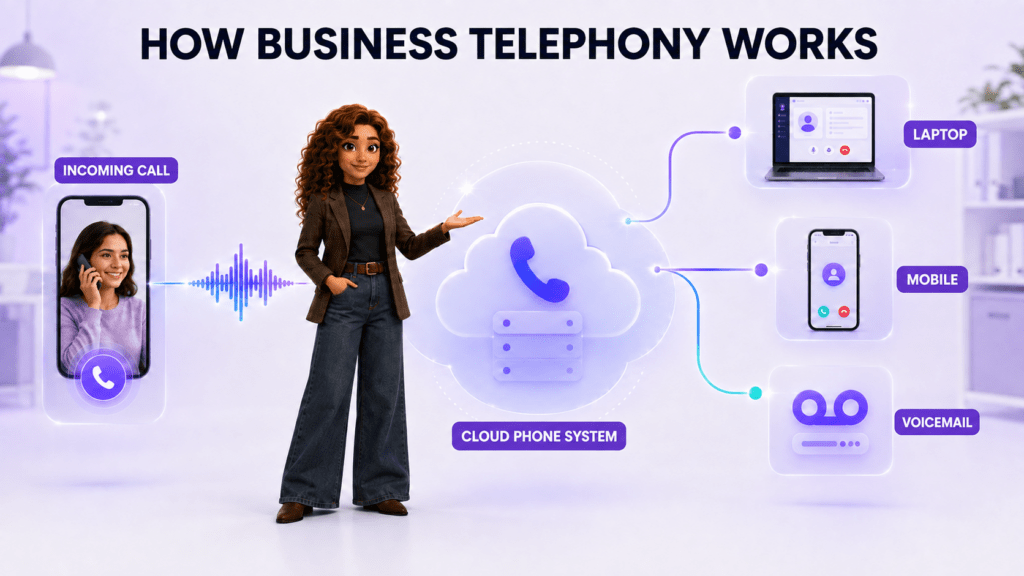
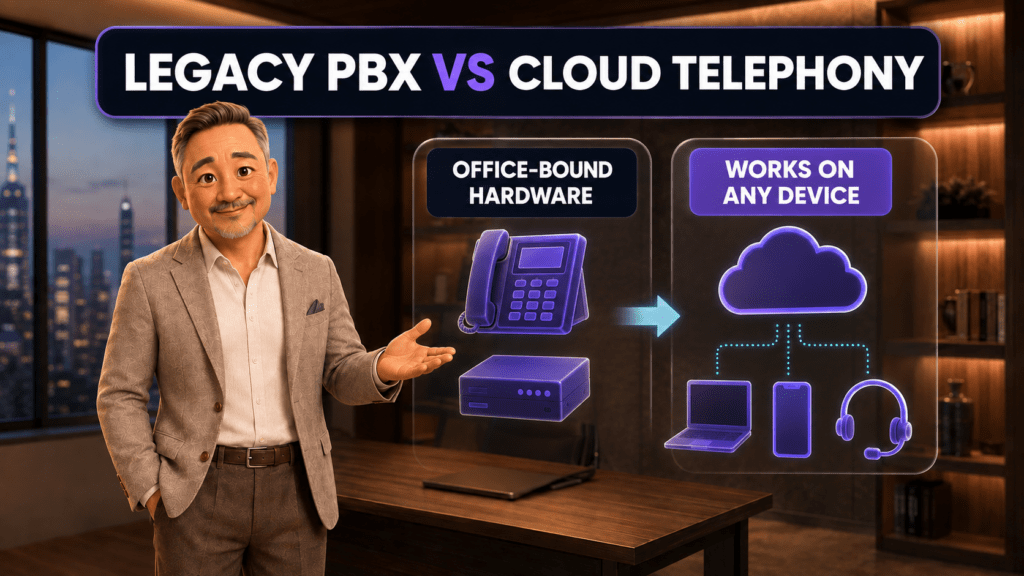
Modern business telephony is usually delivered as a cloud phone system using Voice over Internet Protocol, or VoIP. That removes the need to keep a traditional PBX server in the office and makes the same business number available across locations and devices.
Business telephony in one sentence
Business telephony is a managed phone system that receives calls on company numbers, applies rules, and connects each caller to the right person, team, device, or fallback destination.
It is more than a phone line. A standard phone line connects one number to one endpoint. A business phone system adds an operating layer around that connection.
That layer can provide:
Local, toll-free, or international business numbers
Extensions for employees and departments
Call routing based on time, location, availability, or caller choice
Ring groups and call queues
Interactive voice response, or IVR
Call transfer, hold, forwarding, conferencing, and voicemail
Desktop, mobile, browser, and compatible desk-phone access
Call records, recordings, dashboards, and analytics
Connections to CRM and customer-support workflows
A two-person law firm and a 50-person home-services company may need different configurations, but the principle is the same: the business controls how calls move instead of relying on one physical phone.
How does a business phone system work?
A cloud business call usually moves through seven steps.
1. A customer dials the business number
The caller may use a mobile phone, landline, or calling app. The number can be local, toll-free, or associated with another market the company genuinely serves.
2. The telephone network identifies the provider
The public switched telephone network, commonly called the PSTN, determines where the number is hosted and hands the call to that provider. A cloud provider bridges conventional phone networks with internet-based applications.
3. The cloud phone system receives the call
Instead of sending the call directly to a single desk phone, the platform checks the business’s configuration. This cloud switching layer performs the role traditionally handled by a private branch exchange, or PBX.
4. Routing rules decide what should happen
The system can check business hours, the number dialed, the caller’s menu selection, employee availability, queue conditions, or other rules. It may play a greeting, ask what the caller needs, or route the call immediately.
5. One or more endpoints ring
An endpoint is simply where a person can answer. It may be a browser softphone, desktop app, mobile app, SIP desk phone, or forwarded external number. A softphone is an application that makes and receives calls through an internet connection rather than a conventional phone jack.
6. The employee handles the call
The user can place the caller on hold, transfer the call, add another participant, take notes, or open the related customer record. If telephony and CRM are connected, the system can associate the call with the right contact and preserve the interaction history.
7. The system records the outcome
After the call, the platform can store call detail records such as direction, time, duration, employee, and outcome. Depending on the configuration and applicable rules, it may also retain a recording, transcription, summary, or follow-up task.
What are VoIP, PBX, SIP, and UCaaS?
Business phone terminology sounds more complicated than the underlying ideas.
| Term | Plain-English meaning | Why it matters |
| Telephony | The complete system used to make, receive, route, and manage calls | Describes the business capability, not one technology |
| VoIP | Voice carried as data through an IP network | Lets calls work through internet-connected software and devices |
| PBX | The switching system that connects company users and external calls | Controls extensions, transfers, routing, and shared numbers |
| Cloud PBX | A PBX operated by a provider rather than stored in the office | Reduces on-site hardware and supports distributed teams |
| SIP | A standard used to establish and manage voice or video sessions | Connects compatible phones, PBXs, carriers, and cloud platforms |
| Softphone | Calling software on a computer, browser, or mobile device | Lets an employee use a business number without a dedicated desk phone |
| UCaaS | Unified Communications as a Service | Combines calling with services such as messaging, meetings, and file sharing |
VoIP is not automatically a complete business phone system. It describes how voice travels. Business telephony adds the numbers, users, permissions, routing, administration, reporting, and customer workflow around that transport.
For further technical background, see Cisco’s introduction to PBX systems, Twilio’s SIP interface documentation, and Twilio’s softphone quickstart.
Types of business telephony
Traditional landlines
Traditional lines use fixed carrier infrastructure and physical phones at a location. They can be familiar and straightforward, but expanding them or supporting remote employees may require additional equipment and carrier work.
On-premise PBX
An on-premise PBX is switching hardware or software managed at the business location. It gives the company direct control, but the company is also responsible for maintenance, upgrades, capacity, security, and resilience.
Cloud VoIP phone system
A cloud provider operates the PBX functions. Employees connect through apps or compatible IP phones, and administrators manage numbers, users, schedules, and routing from an online dashboard.
This is the model many small businesses consider because it supports remote work, multiple locations, and changes without installing a server at every office.
Unified communications platform
A unified platform puts calling beside messaging, customer records, meetings, or other communication tools. The advantage is not merely having more features. It is reducing the number of separate systems that must exchange customer and employee context.
Business phone system vs personal phone
A personal mobile phone is designed around one subscriber. Business telephony is designed around an organization.
| Personal phone | Business telephony |
| Usually associated with one person | Numbers can belong to a company, office, service line, or team |
| One person decides whether to answer | Routing rules can select several employees or destinations |
| Limited visibility after a missed call | Shared history can show who called, who answered, and what happens next |
| Personal caller ID may be exposed | Employees can present an approved business caller ID |
| Basic forwarding and voicemail | Queues, ring groups, IVR, schedules, transfers, monitoring, and reporting |
| Difficult to manage when an employee leaves | Administrators can reassign access without giving up the company number |
Using a personal phone for occasional business calls may work at the beginning. It becomes risky when several employees need the same number, calls must be handed off, or the company needs consistent records.
Which features matter to a small business?
The best configuration starts with the customer journey, not the longest feature list. For a deeper look at the routing options, see our guide to call queues, ring groups, and IVR.
One accountable business number
Customers should know which number to call and what will happen when they do. A company may still use several local or service numbers, but each number needs a clear purpose and return path.
Routing that reflects real work
The call flow should match business hours, departments, employee availability, overflow coverage, and after-hours expectations. A dental office may route new-patient calls differently from existing-patient questions. A law firm may separate new-client intake from active matters.
A fallback for every branch
Every route needs a next step if nobody answers. That may be another employee, a queue, an automatic callback, an AI voice agent, or voicemail with a defined follow-up owner.
Access from the devices people already use
Remote and field employees may need the same business identity on a computer and smartphone. Office teams may prefer IP desk phones. A useful system supports the required devices without fragmenting the call history.
Administration and reporting
Managers need to add users, adjust schedules, change routing, review missed calls, and understand queue performance without waiting for a technician for every update.
CRM and messaging context
A phone call should not become an isolated event. When the customer record, messages, call details, and next task live together, the team can continue the conversation without asking the customer to repeat everything.
What does business telephony cost in the United States?
Cloud phone systems are commonly priced per user per month. The advertised subscription is only one part of the total cost. A buyer should also check number charges, calling rates, toll-free minutes, SMS registration and usage, recording storage, AI usage, required contracts, hardware, taxes, and support tiers.
The following public starting prices were checked on September 4, 2026. They are not equivalent packages and should not be treated as a feature-for-feature ranking.
| Provider | Public starting price in USD | Billing note |
| JotLink Telephony | $5/user/month | Telephony subscription; external calling is usage-based, and optional AI Voice Agent service is $5 per 100 minutes (official product page) |
| Dialpad Connect | From $15/user/month | Annual Standard plan; the publicly listed monthly price is $27/user/month (official pricing) |
| Nextiva Core | From $15/user/month | Annual small-business pricing may require an eligible term and customer size (official pricing) |
| Quo Starter | $15/user/month annually | $19/user/month on monthly billing; formerly OpenPhone (official pricing) |
| RingCentral RingEX Essentials | From $19.99/user/month | Public annual starting price; monthly pricing and available plans vary by user count (official pricing) |
Pricing changes. Confirm the current rate, taxes, usage charges, and contract terms on each provider’s official pricing page before purchasing.
What should a US business verify before switching?
Number ownership and porting
Document every local and toll-free number, its current carrier, and where it is published. Ask the new provider which numbers are eligible to port and keep the old service active until the port is complete.
Internet and power resilience
A cloud phone system depends on working connectivity and powered devices. Decide what should happen during an internet or electrical outage. Options may include backup internet, mobile data, call forwarding, alternate locations, and documented failover rules.
911 and registered locations
Emergency calling can work differently with VoIP and multi-location systems. The FCC requires interconnected VoIP providers subject to its rules to support E911 and obtain registered location information, but businesses still need to understand the exact service they are buying and keep user locations current.
Ask every provider:
Can users dial 911 directly?
Which address will be sent for each user or device?
How are remote and traveling employees handled?
What happens during an internet or power failure?
JotLink’s Terms state that JotLink is not a substitute for traditional telephone service and cannot be used for emergency services in most regions. A business evaluating JotLink should maintain an appropriate emergency-calling option and review the current terms before deployment.
Recording, privacy, and industry requirements
Call-recording and consent requirements can vary by location and situation. Healthcare, financial, legal, and other regulated organizations may have additional obligations. Define when recording is allowed, how callers and employees are notified, who can access recordings, and how long information is retained. Obtain qualified legal or compliance advice for your circumstances.
Security and permissions
At minimum, evaluate account authentication, administrator roles, employee permissions, encryption options, auditability, and the process for removing access when someone leaves.
How JotLink Telephony works
JotLink Telephony is a cloud business phone system for small businesses in the United States and Canada. The Telephony module costs $5 per user per month and includes cloud PBX capabilities such as extensions, call routing, queues, ring groups, IVR, voicemail, recording, transfers, conferencing, number management, and calling through desktop and mobile apps. See the JotLink Telephony features and pricing.
JotLink can connect telephony with its Messenger and CRM modules, so a team can keep calls, messages, contacts, and follow-up work in one system. Optional services are priced separately: AI Voice Agent starts at $5 per 100 minutes, while AI Analytics for recorded calls starts at $1 per 100 minutes. See the JotLink pricing details.
That distinction matters. Telephony controls the call. AI Voice Agent can interact with the caller. AI Analytics examines a recorded conversation afterward. A business can use the phone system without treating every AI capability as the same product.
Frequently asked questions
Is business telephony the same as VoIP?
No. VoIP is a method for carrying voice through an IP network. Business telephony is the complete system around company calling, including numbers, users, routing, permissions, queues, voicemail, administration, and reporting. Most modern cloud business phone systems use VoIP.
Does a cloud phone system require desk phones?
Not necessarily. Employees can use softphone apps on computers, browsers, and smartphones. A business can also connect compatible SIP desk phones when physical handsets fit the workflow.
Can a company keep its existing phone number?
Often, but portability depends on the number, carrier, account information, and provider coverage. Confirm eligibility before canceling the current service. JotLink states that it supports porting existing business numbers.
What is a virtual business phone number?
It is a business number that is not tied to one physical phone line. The system can route it to apps, employees, departments, queues, voicemail, or other destinations according to the company’s rules.
Can remote employees use the same business phone system?
Yes. With a cloud system, authorized employees can use company numbers and extensions through internet-connected apps or compatible devices. Administrators can apply the same routing and caller-ID policies across locations.
What happens if nobody answers?
The configured fallback takes over. Depending on the platform, the call may move to another employee, remain in a queue, offer a callback, reach an AI agent, or go to voicemail. A complete call flow defines a fallback for every possible route.
Turn one phone number into a working call system
A business phone system should answer a practical question: when a customer calls, who should respond, on which device, with what context, and what happens if that person is unavailable?
Start with one published number and map its complete call flow. Then add the users, schedules, fallbacks, and reporting needed to make that promise reliable.
See how JotLink Telephony routes business calls across your team. The Telephony module is $5 per user per month, and you can add CRM, Messenger, AI Voice Agent, or AI Analytics only when your workflow needs them. Review the JotLink product page for current details.
Sources
JotLink: AI Business Phone System
JotLink Terms and Emergency Services Notice
Cisco: Small Business PBX Basics
Twilio: Use SIP With Twilio Voice
Twilio: SIP Quickstart and Softphone Definition
FCC: E911 Requirements for Interconnected VoIP