A CRM for small business is software that organizes relationships with leads and customers. Instead of keeping contact details in one spreadsheet, sales notes in another, and follow-up reminders in someone’s inbox, a CRM brings that information into one shared system.
For a small business, the practical value is simple: everyone can see who the customer is, what has already happened, what the customer may buy, and who needs to take the next step.
CRM stands for customer relationship management. The term can describe a business practice, but it usually refers to the software used to manage customer information and interactions. Salesforce defines CRM as a system for managing a company’s interactions with current and potential customers.
Short answer: A CRM is a shared customer database that records contacts, conversations, sales opportunities, tasks, and service activity so a business can manage every relationship consistently.
A contact list answers, “Who is this person?”
A CRM should also answer:
- How did this lead find us?
- Which service or product are they interested in?
- Who last spoke with them?
- What was promised during the conversation?
- Which stage is the opportunity in?
- What should happen next, and when?
- Has the customer contacted sales, service, or billing before?
That difference matters as soon as more than one person communicates with customers. The CRM becomes the shared memory of the business rather than a private collection of notes.
What information does a CRM store?
Most CRM systems organize information into several connected record types.
Contacts and companies
A contact record can include a person’s name, company, phone number, email address, location, communication preferences, and relationship to the business. Company records group several contacts under one organization.
Leads and opportunities
A lead is a person or company that may become a customer. An opportunity or deal represents a specific potential sale, usually with an estimated value, responsible employee, pipeline stage, and expected closing date.
Communication history
The record may include emails, calls, messages, meeting notes, form submissions, and files. When communication tools connect directly to the CRM, much of this history can be logged automatically.
Tasks and appointments
Follow-up calls, proposals, demonstrations, appointments, and deadlines can be assigned to a specific employee. Managers can see overdue work instead of discovering it after a customer complains.
Support activity
Some CRMs include tickets or cases for questions and service issues. This helps sales and support teams see the same relationship instead of treating each conversation as a new customer.
Reports and forecasts
Dashboards can summarize lead sources, deal stages, conversion rates, expected revenue, employee activity, and unresolved customer requests. The useful metrics depend on the business process and the quality of the underlying data.
How does a CRM work?
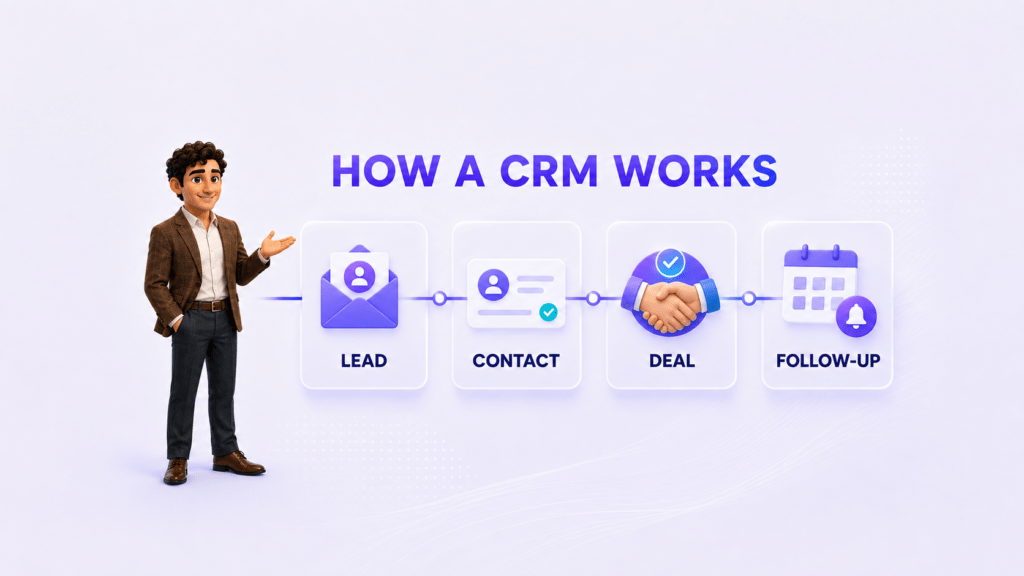
A CRM follows the customer from first inquiry through sale, service, and future follow-up.
1. A new inquiry enters the system
The inquiry may come from a website form, phone call, email, social message, referral, event, or manual entry. The CRM creates or updates a record instead of leaving the information in a private inbox.
2. The record is assigned
The business assigns an owner based on territory, service, availability, account type, or another rule. Even in a very small team, assigning one owner prevents two employees from calling the same lead while another lead receives no response.
3. The employee records the next step
The employee may schedule a call, send an estimate, arrange a meeting, or request additional information. A good CRM makes the next action visible and time-bound.
4. The opportunity moves through a pipeline
A pipeline is a sequence of stages that reflects how the business sells. A home-services company might use New Inquiry, Appointment Scheduled, Estimate Sent, Approved, and Completed. A law firm might use New Inquiry, Conflict Check, Consultation, Retained, and Closed.
5. Communication stays attached to the customer
Calls, emails, messages, notes, and documents become part of the customer timeline. The next employee can understand the history without asking the customer to repeat it.
6. The CRM creates visibility
The owner or manager can see open opportunities, overdue tasks, lead sources, customer issues, and expected work. The goal is not to monitor activity for its own sake. It is to identify where customers or revenue are becoming stuck.
CRM vs spreadsheet: what changes?
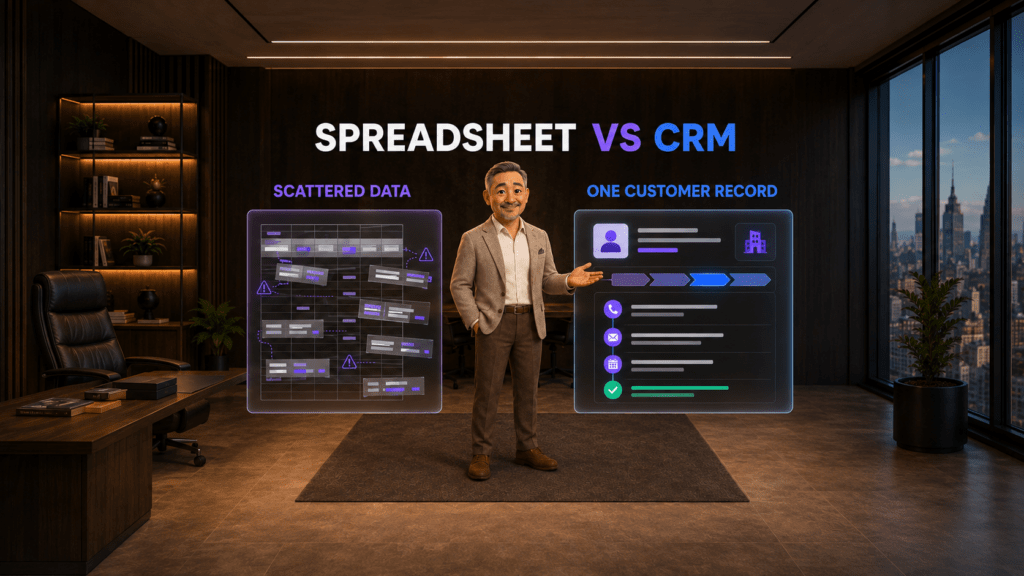
A spreadsheet can be useful for a simple list. It becomes fragile when several people update customer information, activities happen across different channels, or the business needs reliable reminders and history.
| Spreadsheet | CRM |
|---|---|
| Stores rows and columns | Connects contacts, companies, deals, tasks, and conversations |
| Often depends on manual updates | Can capture activity through forms and connected communication tools |
| May allow duplicate or conflicting records | Can use required fields, ownership rules, and duplicate controls |
| Shows the current value in a cell | Preserves a timeline of what happened and when |
| Requires manual filtering for follow-up | Can assign tasks, reminders, stages, and automation |
| Becomes difficult to govern as more people edit it | Supports user roles, permissions, and structured workflows |
A CRM does not automatically fix a disorganized process. It gives the business a structure in which that process can be defined, followed, and improved.
Why does a CRM for small business matter?
A small business needs a CRM when customer work can no longer be managed reliably from memory, personal inboxes, and disconnected files.
Common warning signs include:
- Employees ask each other who last contacted a customer.
- Leads remain in email or voicemail without a clear owner.
- Follow-up depends on personal calendars or handwritten notes.
- The same customer exists in several spreadsheets.
- Managers cannot see why deals are delayed or lost.
- Customers have to repeat information when they speak with a different employee.
- Sales, service, and marketing maintain separate versions of the customer.
- An employee leaving the company also removes important relationship history.
The right time to adopt a CRM is not determined only by employee count. A three-person company handling hundreds of active inquiries may need one earlier than a 20-person company with a small number of long-term accounts.
What are the practical benefits?
Fewer lost leads
Every new inquiry can receive an owner and next action. Managers can identify unassigned leads and overdue follow-up before those opportunities disappear.
Consistent customer service
Employees can review prior calls, messages, purchases, issues, and commitments before responding. The customer receives continuity even when a different person handles the conversation.
A visible sales pipeline
Owners can see how many opportunities exist at each stage, which ones need attention, and what work may be coming. A forecast is still an estimate, but it is more useful when it is based on current opportunities rather than memory.
Less repetitive administration
Forms, email connections, phone integrations, templates, reminders, and workflow rules can reduce repeated data entry. Automation should support a defined process, not hide a confusing one.
Better accountability
The CRM shows who owns the relationship and what the next commitment is. That protects both the customer and the employee responsible for follow-up.
Which CRM features matter most to a small business?
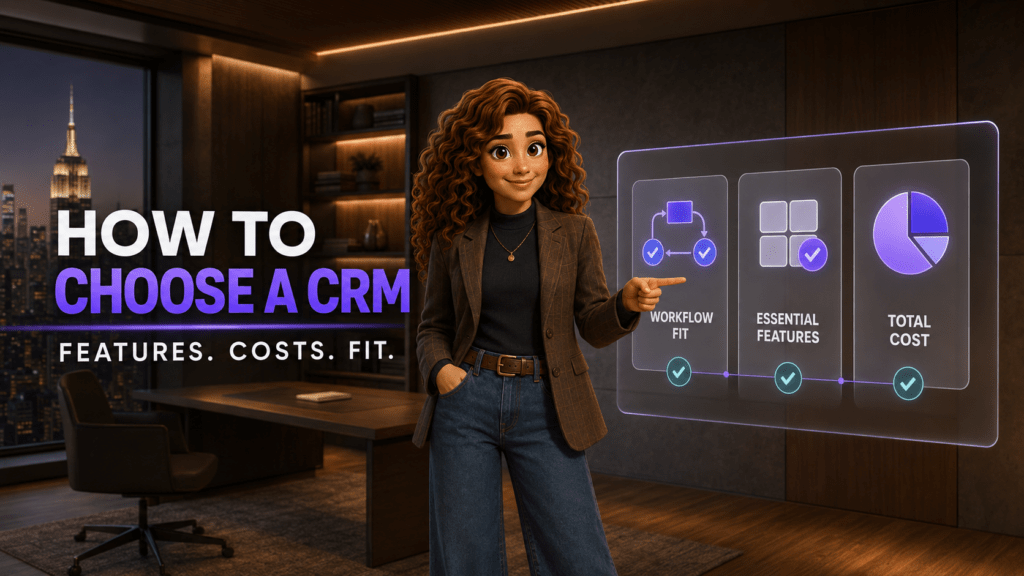
The best CRM for small business use is not necessarily the system with the most features. It is the one the team will use consistently and that fits the real customer journey.
Start with these essentials:
- Contact and company records
- Lead and deal management
- A customizable sales pipeline
- Tasks, reminders, and calendar connection
- Email, phone, and messaging history
- Website lead capture
- Search, duplicate management, and data import
- Roles, permissions, and access removal
- Reports for the few metrics the business actually uses
- Mobile access for employees working away from a desk
Security also belongs in the buying decision. The Federal Trade Commission’s cybersecurity guidance for small businesses recommends protecting customer information through measures such as controlled access, encryption, employee training, and preparation for incidents. When evaluating a CRM, ask how accounts are protected, how permissions work, how data can be exported, and what happens when an employee leaves.
How much does CRM software cost in the United States?
CRM pricing is commonly based on the number of users and the features included in each plan. A free plan may be enough for a very small team, while automation, calling, advanced reporting, or stronger permissions may require a paid tier.
These public starting prices were checked on September 6, 2026. The products and feature packages are not identical, so price alone is not a complete comparison.
| Provider | Public starting price in USD | Important context |
|---|---|---|
| JotLink CRM | $15 per user per month | Includes its published CRM feature set; AI Voice Agent and AI Analytics are separate services (official JotLink CRM page) |
| HubSpot CRM | Free tier available | HubSpot lists a free CRM and paid tiers; current offers and seat requirements can vary (official HubSpot CRM page) |
| Zoho CRM | From $14 per user per month | Standard plan price shown with annual billing; a free edition is available for up to three users (official Zoho calculator) |
| Pipedrive | From $14 per seat per month | Lite plan price shown with annual billing (official Pipedrive pricing) |
| Salesforce Starter Suite | $25 per user per month | Salesforce states that Starter can be billed monthly or annually (official Salesforce small-business pricing) |
Before buying, calculate the complete cost for the required number of users. Check onboarding, data migration, phone and SMS charges, email limits, automation limits, storage, AI usage, support, add-ons, taxes, and contract terms.
How should a small business choose a CRM?
Map the customer journey first
Write down how a lead enters, who responds, which stages follow, what information is required, and what counts as a completed sale or resolved issue. Configure the CRM around that process.
Test the everyday work
Ask employees to complete realistic tasks during a trial: create a lead, find the last conversation, schedule a follow-up, move a deal, reassign an account, and prepare a basic report. A polished demonstration is less valuable than a successful ordinary workday.
Check communication connections
If most customer relationships happen by phone, email, or messaging, confirm exactly what the CRM captures from those channels. Manual notes may be acceptable for a low-volume team, but they become inconsistent as volume grows.
Review ownership and exit options
The business should control its customer data. Ask how to export contacts, activities, files, and deal history. Review administrator permissions, backups, data retention, and the process for removing access.
Keep the first setup small
Do not begin with every possible field and automation. Start with the information needed to serve the customer and move work forward. Add complexity only when it solves a demonstrated problem.
A practical CRM implementation checklist
- Name one owner for the implementation.
- Define the contact fields the team genuinely needs.
- Create one primary pipeline with clear stage definitions.
- Decide who owns new leads and how assignments work.
- Import clean records instead of every old spreadsheet column.
- Connect the communication channels employees actually use.
- Create required next-step and follow-up rules.
- Train the team on several real customer scenarios.
- Review duplicates, overdue tasks, and pipeline accuracy weekly during the first month.
- Add automation only after the manual workflow is working correctly.
How JotLink CRM fits into the customer workflow
JotLink CRM is designed for small businesses that want customer records, deals, tasks, and communication history in the same ecosystem as business calling and team messaging.
The CRM module costs $15 per user per month (source). JotLink states that it can connect contacts with calls, emails, SMS, Messenger conversations, lead forms, deal pipelines, support tickets, calendars, and reporting. The product is available on iOS, Android, Windows, macOS, and the web.
JotLink CRM can also connect with JotLink Telephony and the free core JotLink Messenger. This can reduce the need to transfer customer context between unrelated systems. If you want a foundation on how the phone side works, read What Is Business Telephony and How Does It Work?.
The optional AI services should be treated separately. AI Voice Agent handles voice and text conversations and starts at $5 per 100 minutes. AI Analytics analyzes recorded calls and starts at $1 per 100 minutes (source). A buyer should decide which workflow is needed rather than assuming every AI feature is part of the CRM subscription.
Frequently asked questions
Is a CRM only for sales teams?
No. Sales teams commonly use CRM software, but the same customer record can support intake, appointment scheduling, account management, customer service, and marketing follow-up. Access should still be limited according to each employee’s role.
Is a CRM the same as a contact list?
No. A contact list stores identity and communication details. A CRM connects those details to leads, deals, activities, ownership, tasks, service issues, and reporting.
Can a very small business use a spreadsheet instead?
Yes, when the list is simple, one person owns the work, and follow-up is easy to control. A CRM becomes more valuable when several employees share customers, inquiries arrive through several channels, or missed follow-up begins to affect revenue or service.
Does CRM software replace email or a phone system?
Usually not. A CRM organizes the customer relationship. Email, telephony, and messaging handle the conversations. Connecting those tools allows the CRM to preserve the history and create the next task.
How long does CRM implementation take?
It depends on data quality, integrations, customization, and team size. A small business can reduce the risk by launching one clean pipeline first, importing only useful data, training employees on real scenarios, and adding automation gradually.
The bottom line
A CRM for small business gives the team one reliable place to understand each customer relationship and manage the next action. It becomes necessary when customer work is too important to depend on memory, private inboxes, and disconnected spreadsheets.
The strongest CRM setup is usually the simplest one that the team will maintain: clear ownership, useful records, visible next steps, and communication history that follows the customer.
See how JotLink CRM organizes contacts, deals, conversations, and follow-up for $15 per user per month. (source)