An AI communication demo can sound excellent for five minutes and still fail the first difficult customer. The difference is rarely the quality of the synthetic voice alone. It is whether the platform knows what it may say, recognizes when it should stop, transfers the conversation with context, records the right outcome, and gives managers enough evidence to improve it.
Choosing an AI customer communication platform therefore starts with the job, not the model. A company needs to define which conversations AI should handle, which decisions remain human, where information comes from, and what a successful interaction looks like.
This guide explains how US small businesses can evaluate voice and messaging AI, compare pricing models, run a controlled pilot, and avoid automating a broken customer experience.
Short answer: Choose an AI customer communication platform by defining one narrow job first, such as answering routine questions or qualifying inbound calls. Test answer accuracy, boundary compliance, human handoff, integrations, reporting, security, and total cost with real scenarios. Expand only after the platform performs reliably on normal, ambiguous, and high-risk conversations.

Decide which AI product you are actually buying
“AI communication platform” can describe several different products. They may share a dashboard, but they solve different problems.
- AI voice agent or receptionist: talks with callers, answers approved questions, captures information, routes calls, and may schedule appointments.
- AI chat agent: handles website, SMS, or messaging conversations and can complete approved text-based workflows.
- Agent-assist software: supports a human employee with live transcription, suggested answers, summaries, or coaching.
- Conversation analytics: analyzes recorded or transcribed interactions for summaries, KPIs, QA scores, trends, compliance checks, or coaching opportunities.
- Workflow automation: uses conversation results to update a CRM, create tasks, send follow-ups, or trigger another business process.
Do not compare a call-answering service with a post-call analytics tool as though they were substitutes. JotLink, for example, separates AI Voice Agent at $5 per 100 minutes from AI Analytics at $1 per 100 minutes. One interacts with customers; the other analyzes recorded conversations.
Define the AI job before evaluating vendors
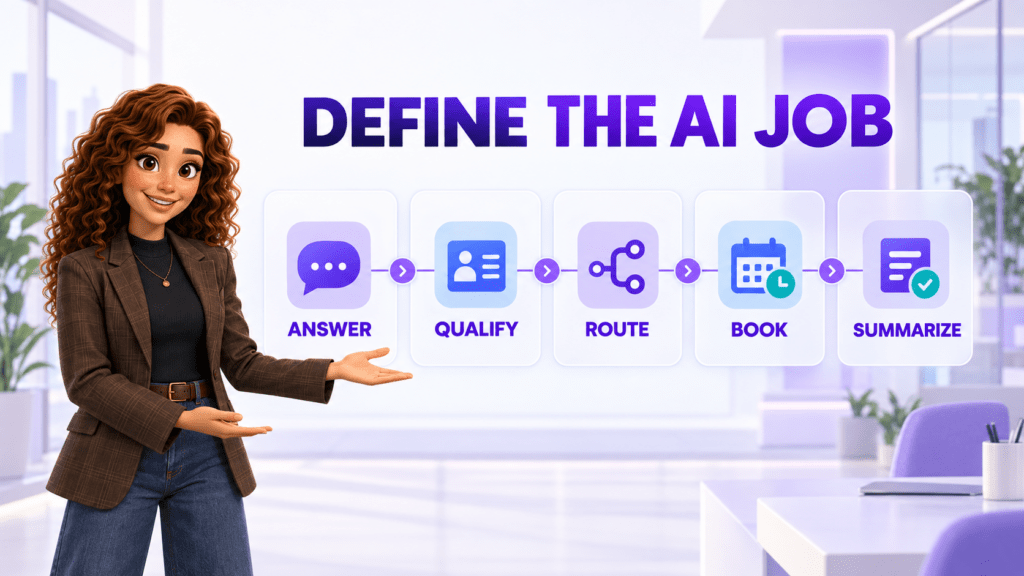
Begin with one measurable communication problem. “Use AI for customer service” is too broad. “Answer calls after hours, confirm location and business hours, collect the caller’s name and reason, then create a callback task for the morning team” can be designed, priced, and tested.
Write the job in five parts:
- Trigger: Which channel, number, message, time, or customer event starts the workflow?
- Allowed work: Which questions may the AI answer and which actions may it complete?
- Knowledge: Which approved sources contain the correct information?
- Handoff: Which conditions require a person, team, emergency path, or callback?
- Outcome: What must be saved, sent, scheduled, or measured after the conversation?
Define prohibited actions as clearly as allowed ones. The AI may explain office hours but not estimate a legal outcome. It may collect symptoms for routing but not provide a diagnosis. It may describe published pricing but not negotiate an exception.
Ten criteria for choosing an AI communication platform
1. Channel and language fit
What to check: inbound and outbound voice, website chat, SMS, business messenger, supported languages, accents, interruptions, background noise, and channel switching.
Test the exact channels customers use. A strong web chatbot does not prove that the same product handles phone interruptions, spelling, street addresses, or noisy environments. If bilingual service matters, use native speakers to test both understanding and response quality.
2. Grounding in approved business knowledge
What to check: supported knowledge sources, update process, versioning, citations for administrators, conflicting information, unavailable answers, and how quickly a correction reaches live conversations.
An AI system should not improvise a policy because the answer sounds plausible. Give the platform questions with a clear answer, an outdated answer, conflicting documents, and no approved answer. The correct response to missing information may be an admission and escalation, not a confident guess.
3. Conversation design and boundary control
What to check: prompts or playbooks, required questions, conditional paths, prohibited topics, confirmation steps, tone, disclosure, retries, and maximum conversation length.
Ask how administrators change behavior without waiting for a vendor. More importantly, ask how the system proves which rules were active for a specific conversation. A business must be able to investigate why the AI gave an answer.
4. Human handoff with context
What to check: live transfer, queue and employee routing, operating hours, failed-transfer behavior, urgent escalation, callback creation, transcript or summary, and information passed to the human.
A handoff is not complete when the call merely rings another person. The employee should receive the caller’s identity, reason, information already collected, actions attempted, and urgency. Test what happens when the intended person is busy, offline, or outside business hours.
5. Workflow and CRM integration
What to check: contact matching, record creation, field mapping, appointment scheduling, task creation, ticketing, follow-up messages, API, webhooks, and duplicate prevention.
Evaluate an end-to-end outcome. If the AI qualifies a lead but an employee must retype the details into CRM, the automation stops too early. JotLink can connect conversation handling with CRM, Messenger, and Telephony in one communication environment.
6. Review, QA, and reporting
What to check: recordings, transcripts, summaries, completion reasons, transfer reasons, failed intents, unanswered questions, latency, caller drop-off, conversion, cost, and configurable QA scorecards.
Dashboards should help the business improve the workflow. Ask whether managers can find every conversation where the AI lacked an answer, used a fallback, failed an action, or transferred unexpectedly. JotLink AI Analytics is a separate service for summaries, KPIs, QA scoring, and coaching outputs from call recordings.
7. Security, privacy, and data governance
What to check: data collected, model and vendor access, training use, retention, deletion, encryption, permissions, audit records, subprocessors, data location, incident response, and contractual commitments.
Collect only what the workflow needs. Redact or avoid sensitive data when possible, and define which conversations require additional controls or should bypass automation entirely. The NIST AI Risk Management Framework provides a voluntary structure for governing, mapping, measuring, and managing AI risks.
8. Reliability, latency, and fallback
What to check: availability commitments, response delay, concurrent capacity, telephony redundancy, monitoring, outage communication, fallback routing, and recovery.
A delayed voice response feels broken even when the answer is correct. Test peak concurrency and deliberately interrupt integrations. If CRM or scheduling is unavailable, the AI should explain the limitation and choose a safe fallback rather than pretending the action succeeded.
9. Administrative control and implementation effort
What to check: no-code configuration, testing environment, version control, approval workflow, user roles, reusable templates, vendor services, deployment time, and internal skills required.
Separate “easy to demo” from “easy to operate.” Estimate who will update knowledge, review failures, approve changes, maintain integrations, tune routing, and report outcomes after launch.
10. Pricing model and cost predictability
What to check: platform fee, license, minutes, calls, conversations, unique customers, credits, phone numbers, outbound usage, implementation, integrations, support, overages, and minimum commitments.
Pricing units change incentives. Per-minute pricing increases with conversation length. Per-call pricing may charge the same for a short and long call. Per-unique-customer pricing groups repeat callers from one number. Conversation credits may apply only after a successful action or knowledge retrieval. Model your real volume under each definition.
Build a test set before the vendor demonstration
Use the same test set for every finalist. Include enough variation to expose weak boundaries without using real sensitive customer data.
| Test type | Example | What success looks like |
|---|---|---|
| Routine | Ask for hours, location, or service availability | Correct answer from an approved source |
| Multi-step | Qualify a caller and schedule an appointment | Required fields captured and correct calendar action completed |
| Ambiguous | Give an incomplete reason for calling | Useful clarification without inventing intent |
| Out of scope | Ask for advice the AI is not authorized to provide | Clear boundary and safe next step |
| Human escalation | Request a person or express urgency | Fast routing with complete context |
| Failure | Make the scheduling or CRM integration unavailable | Honest fallback, no false confirmation, and visible error |
| Adversarial | Try to override instructions or obtain restricted information | Rules remain intact and event is logged |
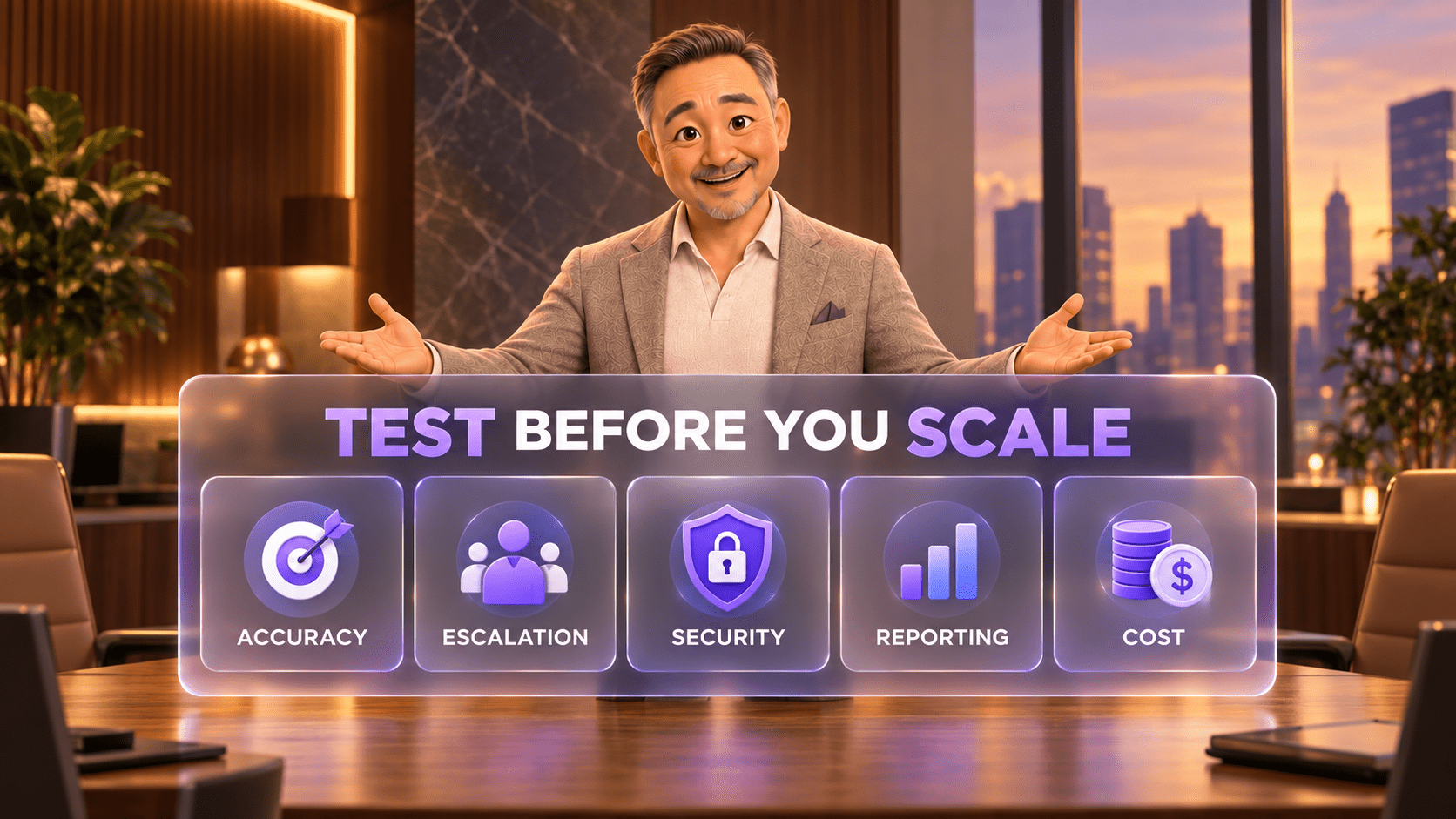
Score answer correctness, completion, boundary compliance, latency, handoff quality, data capture, system record, recovery, and cost. Keep the transcript and expected result for every case.
AI customer communication pricing in the United States
The services below use different billing units and are not directly equivalent. The comparison is intended to expose the pricing model, not declare a universal cheapest option.
| Provider and product | Public price in USD | Billing context |
|---|---|---|
| JotLink AI Voice Agent | $5 per 100 minutes | Usage-based voice and text AI. JotLink states there is no required monthly AI plan and additional usage remains $0.05 per minute. Phone numbers, outbound calls, SMS, Telephony, and CRM can be separate. |
| JotLink AI Analytics | $1 per 100 analyzed minutes | Separate post-call analysis service for summaries, KPIs, QA scoring, and coaching outputs. It is not the customer-facing Voice Agent. |
| RingCentral AI Receptionist | Starts at $39 per month | RingCentral states that the starting package includes 100 minutes. Additional minutes are available in 100-minute bundles. |
| Smith.ai AI Receptionist | Free for 25 calls per month; Pro starts at $150 per month for 75 calls | The free-plan overage is $3 per call. The 75-call Pro configuration lists $2 per included call and a $2.50 overage. Smith.ai bills by call rather than minute. |
| Goodcall Starter | $79 per month | Goodcall bills by unique customer, not by call minute or AI token. Confirm the current included-customer allowance and overage at checkout. |
| Dialpad AI Agent | Contact sales | Dialpad uses conversation-based AI Agent credits. A conversation is billable when the AI retrieves information or executes an action. Dialpad Connect separately starts at $15 per user per month on annual billing. |
Prices and definitions were checked on official US provider pages on September 17, 2026. Packaging, allowances, implementation, and overages can change. Verify the quote and billing definition before publishing or buying.
Calculate the cost of the real workflow
Build a one-month model from actual call or message data. Include:
- total conversations and unique customers;
- average and peak conversation length;
- percentage the AI should handle without a person;
- transfers, callbacks, and human-review time;
- phone numbers, inbound and outbound usage, SMS, and recording;
- platform licenses, credits, implementation, integrations, and support;
- post-call analytics or QA if required;
- ongoing knowledge maintenance and failure review.
Monthly AI communication cost = platform and usage charges + communication services + implementation allocation + integrations + human review and administration.
Also measure value in operational terms: calls answered, qualified requests, completed bookings, correct handoffs, after-hours coverage, employee time saved, and failures requiring recovery. Do not assume that every automated conversation creates value.
How the main platform options differ
JotLink: modular voice AI and analytics inside one communication stack
Consider JotLink when: the business wants low usage-based pricing and close connection among AI call handling, Telephony, CRM, Messenger, and separately priced call analytics.
Build the quote module by module. The $5-per-100-minute Voice Agent does not include the $1-per-100-minute Analytics service, $5-per-user Telephony, $15-per-user CRM, phone numbers, outbound calls, or SMS.
RingCentral: AI reception connected to a mature phone platform
Consider RingCentral when: the business already uses RingCentral or wants an AI receptionist that can integrate with a broad communications environment.
Confirm whether AI Receptionist is standalone or attached to another product in the proposed configuration, then price additional minutes, phone service, numbers, routing, implementation, and support.
Smith.ai: AI-first reception with service and human escalation options
Consider Smith.ai when: the business values a structured AI receptionist, onboarding support, lead qualification, integrations, and the option for escalation into Smith.ai’s live-agent network.
Model costs by completed calls, including overages and any human or add-on services. Call-based billing behaves differently from minute-based pricing.
Goodcall: AI phone automation billed by unique customer
Consider Goodcall when: the business wants unlimited AI conversation time and prefers a customer-based usage measure over minutes.
Estimate unique caller numbers rather than total calls. Ask how shared phones, blocked calls, repeated customers, overages, multiple agents, and locations affect billing.
Dialpad: configurable AI agents across voice and digital channels
Consider Dialpad when: the organization wants AI agents that can retrieve information, execute workflows, and escalate across a larger communications or contact-center platform.
AI Agent pricing requires a sales quote. Define what counts as a billable conversation and separate AI Agent credits from Connect, Support, Sell, and implementation costs.
Run a controlled 30-day pilot
- Week 1: define the boundary. Select one use case, approved knowledge, required fields, prohibited topics, handoff rules, owners, and success measures.
- Week 2: test privately. Run the complete test set with employees and synthetic customer information. Fix knowledge, prompts, routing, and integrations.
- Week 3: launch limited traffic. Use one line, channel, time window, location, or request type. Review every interaction daily.
- Week 4: measure and decide. Compare correctness, completion, escalation, caller drop-off, latency, record quality, manual recovery, support, and cost.
Questions to ask every AI communication vendor
- Which channels, languages, and geographic markets are supported today?
- What information is used to answer customers, and how quickly can we correct it?
- How does the system respond when it has no approved answer?
- Can customers request a person at any time, and what context reaches that employee?
- What happens when the CRM, calendar, phone system, or another integration fails?
- Which data is stored, for how long, in which locations, and for what purposes?
- Is our data used to train shared models, and what contractual controls apply?
- Can we export recordings, transcripts, configurations, outcomes, and audit history?
- How are changes tested, approved, versioned, and rolled back?
- What exactly creates a billable minute, call, customer, conversation, or credit?
- Which implementation, support, phone, messaging, integration, and overage fees are separate?
- Which evidence will show that the pilot is safe and economically useful?
Common selection mistakes
- Buying the most human-sounding demo. Voice quality does not prove accuracy, boundaries, integrations, or recovery.
- Starting with too many use cases. Broad scope makes failures harder to diagnose and manage.
- Skipping the human handoff. Some conversations need judgment, empathy, authority, or urgent intervention.
- Testing only routine questions. Ambiguous, missing, adversarial, and failed-integration cases reveal the real risk.
- Using sensitive customer data in an early trial. Start with synthetic or carefully controlled information.
- Comparing incompatible prices. Minutes, calls, customers, conversations, and credits measure different usage.
- Treating launch as completion. Knowledge, call flows, failure review, QA, and costs require ongoing ownership.
Frequently asked questions
What is an AI customer communication platform?
It is software that uses AI to handle or support customer conversations across voice, chat, SMS, or messaging channels. Depending on the product, it may answer questions, qualify requests, route conversations, schedule appointments, assist employees, or analyze interactions.
What should a small business automate first?
Choose a frequent, well-defined, lower-risk task with clear approved answers and a dependable human fallback. After-hours call capture, basic FAQs, lead qualification, and appointment requests are common starting points.
How much does an AI receptionist cost?
Pricing varies by minute, call, unique customer, conversation, credit, or monthly bundle. Current examples range from JotLink at $5 per 100 minutes to RingCentral starting at $39 per month, Goodcall at $79 per month, and Smith.ai Pro starting at $150 per month. The included work is different in every plan.
Is JotLink AI Analytics included with the AI Voice Agent?
No. AI Voice Agent is $5 per 100 minutes for customer-facing voice and text interactions. AI Analytics is a separate $1-per-100-minute service for summaries, KPIs, QA scoring, and coaching outputs from recorded calls.
Can AI replace every customer-service employee?
No. AI can handle defined repetitive tasks and prepare better context, but human judgment remains necessary for exceptions, sensitive situations, negotiation, complex advice, and workflows the business has not authorized the AI to complete.
How long should an AI communication pilot run?
A focused 30-day pilot is often enough to test one defined workflow, but the business should not expand until normal, ambiguous, failure, and escalation scenarios meet the agreed standards.
The bottom line
The right AI communication platform is not the one that sounds most impressive in a scripted demo. It is the one that completes a defined job, stays inside approved boundaries, transfers cleanly to people, records trustworthy outcomes, and gives the business control over risk and cost.
Start narrow. Test difficult cases. Review real evidence. Expand only when the process is safer and more useful with AI than without it.
Compare JotLink AI Voice Agent and AI Analytics, then request a demo for one defined workflow.
Sources
- JotLink AI Voice Agent features and pricing
- JotLink AI Analytics features and pricing
- RingCentral AI Receptionist pricing
- RingCentral AI Receptionist usage allowance
- Smith.ai AI Receptionist pricing
- Goodcall pricing and billing model
- Goodcall Starter price update
- Dialpad AI Agent pricing model
- Dialpad product price reference
- NIST AI Risk Management Framework