A customer calls while the team is busy. Another sends a message after hours. A third asks the same pricing question your staff has answered all week. None of these conversations is difficult by itself. The problem is handling all of them quickly, consistently, and with enough context for the next person.
AI for business communications helps with that operational load. It can understand routine requests, answer within approved boundaries, collect information, route conversations, create summaries, update customer records, and identify patterns across calls and messages.
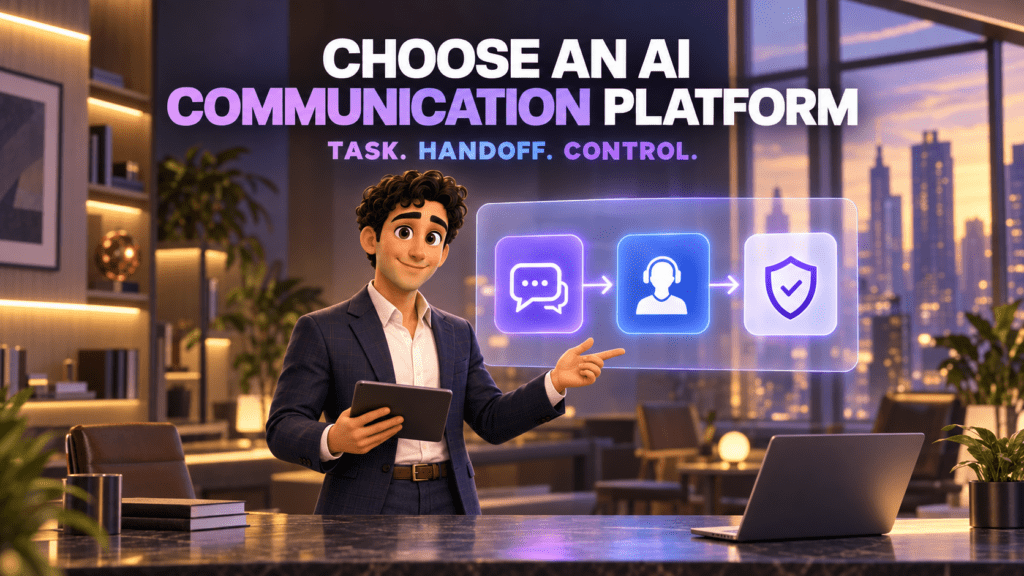
The useful question is not whether a platform “has AI.” It is which communication job the AI performs, what information it can access, when a human takes over, and how the business checks its work.
Short answer: AI for business communications is software that uses artificial intelligence to understand, handle, route, or analyze conversations between a company and its customers or employees. It can work across phone calls, SMS, chat, email, and internal messaging. Good systems operate within defined rules, preserve context, and escalate situations that need human judgment.
What does AI for business communications actually mean?
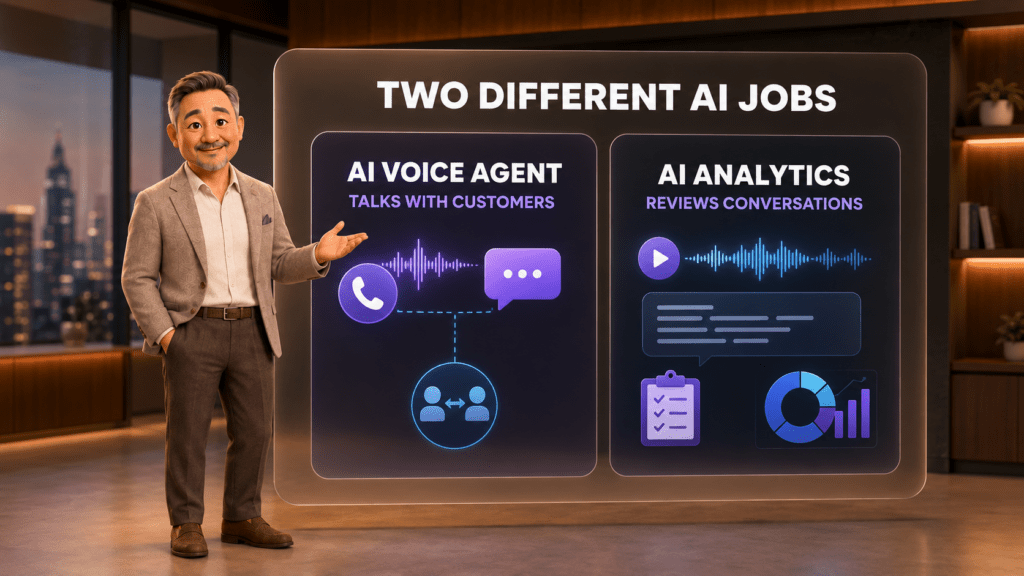
The term covers several technologies that perform different jobs. Some AI communicates directly with a customer. Some works quietly in the background. Some reviews a conversation only after it ends.
For example, an AI Voice Agent may answer an incoming call, identify why the person is calling, provide approved information, and transfer the call to the correct employee. A messaging assistant may respond to a common question in chat. A separate analytics service may transcribe recorded calls, summarize them, apply a quality scorecard, and highlight coaching opportunities.
These functions may share a platform, but they should not be treated as the same product. A tool that summarizes calls is not automatically able to answer them. A chatbot that writes replies is not automatically connected to your phone system, CRM, or appointment calendar.
That distinction matters when comparing platforms. The label “AI-powered” says very little until the workflow, data access, limits, and billing unit are clear.
How AI business communication works
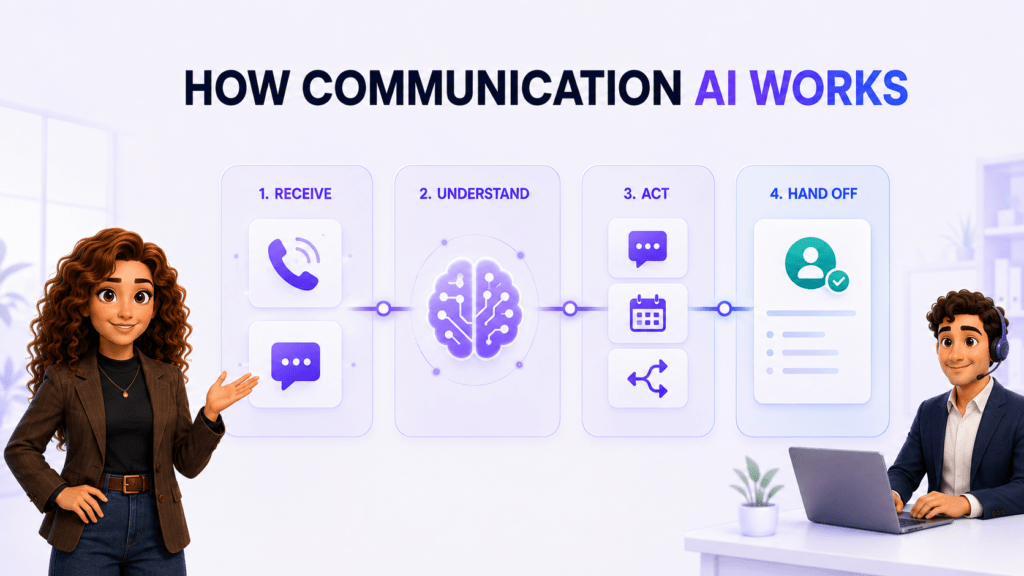
A practical AI workflow moves through five stages. The technology differs by product, but the operating logic is usually similar.
1. A conversation enters through a business channel
The input might be a phone call, SMS, website chat, Messenger conversation, email, or recorded call. The system first needs access to that channel and enough technical context to identify the account, line, or workflow involved.
2. The AI identifies language, intent, and relevant details
The system processes what the person says or writes. It may identify a request for an appointment, a billing question, a sales inquiry, a support issue, or obvious spam. It can also extract details such as a name, callback number, service requested, urgency, or preferred time.
3. Business rules limit what the AI can do
Useful communication AI should not improvise company policy. It needs approved knowledge, clear instructions, escalation conditions, and defined actions. A clinic may allow an assistant to book a standard appointment but require staff review for clinical questions. A law firm may allow basic intake but prohibit legal advice.
4. The system responds, acts, or routes
Within those boundaries, the AI may answer a routine question, collect intake information, book a time, send a confirmation, transfer a call, or create a follow-up task. When confidence is low or the situation is sensitive, it should hand the conversation to a person with the context already attached.
5. The conversation becomes structured business data
After the interaction, the system may save a transcript, summary, outcome, next action, and selected fields in a customer record. Analytics can then review patterns across many conversations, provided recording, consent, retention, and access rules have been handled correctly.
The main types of AI for business communications
AI Voice Agents and AI receptionists
Voice AI holds a spoken conversation with a caller. It can answer common questions, gather information, identify intent, route the call, take a message, or start an approved workflow. The strongest use cases are repetitive, time-sensitive, and easy to define.
An AI receptionist is a front-desk application of a Voice Agent. It focuses on answering inbound calls, handling common requests, and getting the caller to the right next step.
Messaging and chat assistants
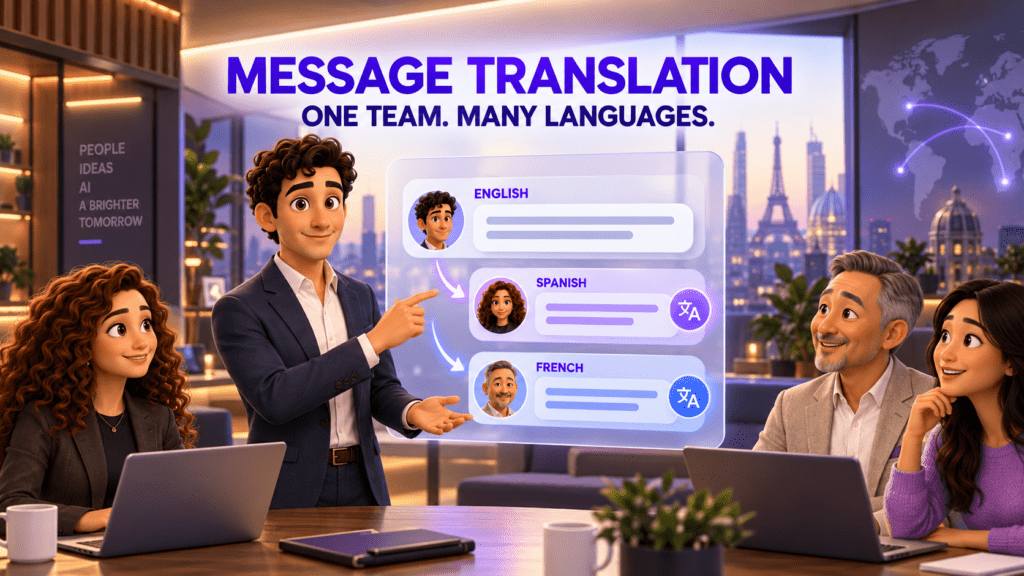
Messaging AI works in SMS, website chat, mobile apps, or internal business messengers. It may answer FAQs, translate messages, collect lead details, draft responses, or trigger follow-up tasks. A business should know whether the AI sends replies automatically or only suggests them for employee approval.
AI routing and lead qualification
Routing AI classifies a conversation and decides where it should go. In sales, it may separate real buying intent from spam or general support. In customer service, it may send billing, scheduling, and urgent issues to different destinations.
The routing decision should follow documented business rules. High-risk, unusual, or low-confidence cases need a human review path instead of an automatic rejection.
Appointment and follow-up automation
AI can collect scheduling preferences, check available times, book or reschedule an appointment, and send confirmations or reminders. This becomes more valuable when the calendar, communication channel, and customer record share the same context.
Conversation summaries and CRM updates
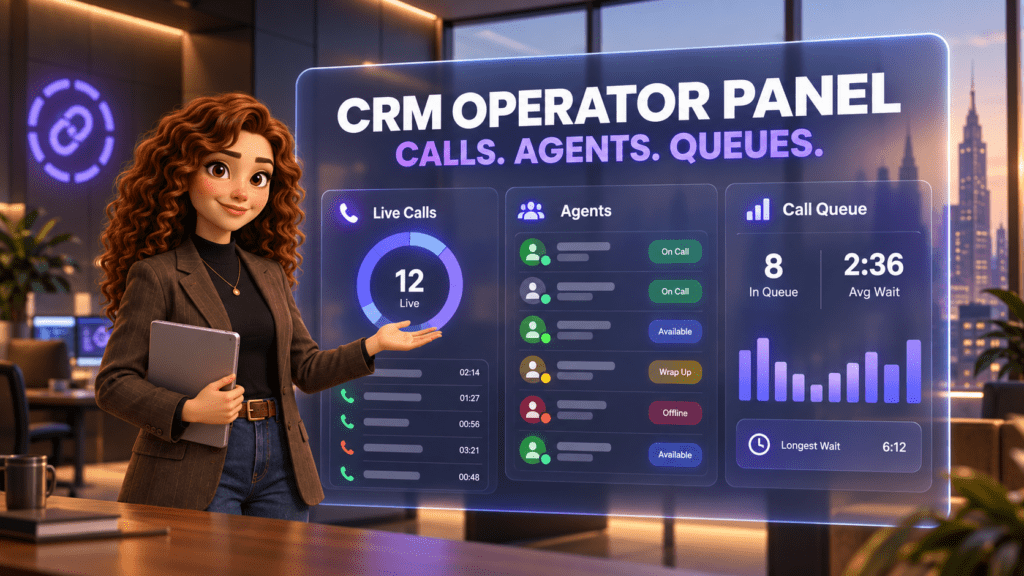
After a call or message, AI can draft a summary, extract the outcome, suggest a next action, and update selected CRM fields. This reduces manual note-taking, but employees still need a simple way to correct inaccurate information.
AI Analytics and quality assurance
AI Analytics reviews conversations rather than participating in them. It can transcribe recordings, produce summaries, apply a defined QA rubric, extract KPIs, flag topics, and prepare coaching notes. The instructions, permissions, and price can be completely separate from those of an AI Voice Agent.
What AI can do across calls, messages, and CRM
| Communication job | What AI can help do | Where a human remains important |
|---|---|---|
| Answering calls | Respond immediately, handle routine questions, capture details, and transfer callers | Exceptions, emotional situations, negotiations, and decisions outside policy |
| Business messaging | Answer common questions, translate, classify intent, and create follow-ups | Sensitive replies, complex complaints, and final approval for high-impact messages |
| Lead intake | Collect contact details, service needs, location, budget range, or timing | Qualification policy, unusual opportunities, and fair treatment of uncertain cases |
| Scheduling | Offer available times, book, reschedule, confirm, and remind | Priority exceptions, complex calendars, and service eligibility decisions |
| CRM administration | Draft summaries, create contacts, log outcomes, and assign next steps | Data correction, permissions, record ownership, and final decisions |
| Quality assurance | Apply a rubric, find patterns, flag calls, and prepare coaching notes | Calibration, employee coaching, context review, and disciplinary decisions |
The pattern is consistent: AI is strongest at repeated work with clear inputs, approved outputs, and a defined escalation path. Human judgment matters most when consequences are high or the situation falls outside the expected pattern.
AI, automation, chatbots, and humans are not interchangeable
These terms are often blended together, which makes product comparisons harder than they need to be.
| Approach | How it works | Best fit | Main limitation |
|---|---|---|---|
| Rule-based automation | Runs a fixed action when a defined condition is met | Sending confirmations, assigning tasks, and moving records | Does not understand an open-ended conversation |
| Traditional chatbot or IVR | Offers predetermined choices or decision-tree responses | Simple menus and narrow FAQs | Struggles when the request does not match the menu |
| Communication AI | Interprets natural language and selects an approved response or action | Flexible intake, routing, summarization, and routine service | Can misunderstand context and requires monitoring |
| Human employee | Applies experience, judgment, empathy, and accountability | Complex, sensitive, unusual, or high-value conversations | Availability and capacity are limited |
A mature workflow combines these approaches. A rule can trigger a reminder. AI can understand the customer’s reply. A human can step in when judgment or accountability is required.
Where AI creates practical value for a small business
Faster first response
A call or message can receive an immediate response even when staff are helping someone else. This is particularly useful after hours, during lunch, and when several inquiries arrive at once.
More complete intake
A defined conversation flow can collect the same required details every time. That gives the employee receiving the handoff a cleaner starting point.
Less manual note-taking
Transcripts, summaries, and suggested next actions can reduce the time spent reconstructing conversations. The benefit depends on whether the output reaches the system where the team actually works.
More consistent routing
AI can use the request, language, urgency, location, or customer status to choose a queue or employee. Clear fallback rules are essential when the system is uncertain.
Broader quality visibility
Analytics can review more recorded conversations than a manager could listen to manually. The scoring criteria still need calibration, and automated scores should support managerial review rather than replace it.
What AI should not be trusted to handle alone
AI can produce a confident answer that is incomplete, outdated, or wrong. It may miss sarcasm, emotion, an unusual policy exception, or context that exists outside the connected systems.
Keep a person involved when the conversation includes:
- medical, legal, financial, or safety advice;
- threats, emergencies, or vulnerable customers;
- binding commitments, refunds, or contract changes;
- complex complaints or reputational risk;
- employment, credit, housing, or other consequential decisions;
- uncertain identity, consent, or authorization;
- a request that falls outside approved knowledge.
The correct fallback is not always a live transfer. It can also be a callback task, a protected message to a specialist, or a request for additional verification. What matters is that the system knows where its authority ends.
Privacy, consent, and responsible use
Business conversations can contain phone numbers, health details, payment questions, addresses, and other sensitive information. Before connecting AI, document what the system receives, where that data is stored, who can access it, how long it remains available, and how a customer can reach a person.
The NIST AI Risk Management Framework organizes risk work around four functions: Govern, Map, Measure, and Manage. For a small communication workflow, that can translate into four practical questions:
- Govern: Who owns the workflow, policy, permissions, and incident response?
- Map: Which customers, channels, data, and consequences are involved?
- Measure: How will the team test accuracy, escalation, customer experience, and failure rates?
- Manage: What changes when errors or new risks appear?
Outbound calling requires additional care. The Federal Communications Commission has clarified that AI-generated voices fall under the Telephone Consumer Protection Act’s restrictions on artificial or prerecorded voice calls. Consent, do-not-call, recording, disclosure, and industry-specific requirements can vary by workflow and jurisdiction. Have qualified counsel review outbound and regulated use cases before launch.
How to introduce communication AI without creating chaos
Start with one narrow workflow
Choose a repeated task with a clear success condition, such as answering after-hours calls, collecting new-client details, or summarizing recorded sales calls. Avoid launching every channel and department at once.
Write the boundaries before the script
List what the AI may answer, what it may change, which data it may collect, and which conditions require escalation. A good greeting cannot compensate for unclear authority.
Test real scenarios, including failures
Use the questions customers actually ask. Include interruptions, accents, ambiguous requests, background noise, policy exceptions, and callers who want a person immediately.
Review the first conversations closely
Check transcripts and outcomes daily during the pilot. Correct the knowledge source, routing rules, and escalation instructions instead of treating every mistake as a wording problem.
Measure the workflow, not the novelty
Useful measures include answer rate, qualified handoffs, booking completion, unresolved requests, correction rate, escalation accuracy, and customer complaints. Pick metrics that match the job the AI was assigned.
Current US pricing examples
AI communication vendors use different billing units, including users, minutes, calls, agents, and unique customers. The examples below were checked on official public pages on September 7, 2026. They are not direct equivalents.
| Provider | Public starting point | Billing context |
|---|---|---|
| JotLink AI Voice Agent | $5 per 100 minutes | Voice and text AI usage, approximately $0.05 per minute. Telephony and other modules are priced separately when needed. |
| JotLink AI Analytics | $1 per 100 minutes analyzed | Separate call-recording analysis service for summaries, KPIs, QA scoring, and coaching outputs. |
| Dialpad Connect | $15 per user per month | Annual-billing price shown for its broader business communications plan with AI transcription and call summaries. AI Agent pricing is contact sales. |
| RingCentral AI Receptionist | $49 per month standalone | Includes 100 minutes. An add-on path starts at $39 per month with 100 minutes. Overage is listed at $0.50 per minute. |
| Smith.ai AI Receptionist | Free for 25 calls per month | The current Pro option starts at $150 per month for 75 calls. Billing is per real call rather than per minute. |
| Goodcall | $79 per month per agent | Starter includes unlimited minutes and tokens for up to 100 unique customers, then $0.50 per additional customer. |
Compare the complete workflow, not only the first number. Check setup, phone service, CRM access, human escalation, integrations, included usage, overage rules, contract term, support, and the definition of a billable event. Recheck every price at checkout because vendors can change plans and promotions.
How JotLink approaches communication AI
JotLink combines business communication channels with optional AI services, but the services have distinct jobs and prices.
The JotLink AI Voice Agent can handle voice and text conversations, answer approved routine questions, collect details, route calls, and prepare context for a human handoff. Public pricing starts at $5 per 100 AI minutes.
JotLink AI Analytics is a separate service. It analyzes recorded calls and can produce summaries, KPIs, QA scorecards, and coaching outputs based on the instructions a business defines. Public pricing starts at $1 per 100 minutes analyzed.
Teams can connect these capabilities with JotLink Telephony, Messenger, and CRM. The advantage of a connected workflow is continuity: the conversation, routing decision, customer record, and follow-up can remain in one operating context.
Frequently asked questions
Is AI for business communications the same as a chatbot?
No. A chatbot is one interface. Communication AI can also work with calls, SMS, email, routing, CRM updates, scheduling, translation, and post-call analytics. Always check which channels and actions a particular product actually supports.
Can AI replace a receptionist or customer service team?
It can handle selected front-line tasks, especially routine requests and after-hours intake. It should not operate without escalation rules, monitoring, and human ownership. Many businesses use AI to cover the first step and let employees handle exceptions and higher-value conversations.
Does AI understand every caller accurately?
No. Accuracy can be affected by audio quality, accents, background noise, unclear requests, incomplete knowledge, and unusual context. Test the actual workflow and track corrections and failed handoffs.
Does AI Analytics listen to live calls?
Products differ. JotLink describes AI Analytics as a service that analyzes recordings to create structured outputs. Confirm whether a provider analyzes during the call, after the call, or both, and review recording and consent requirements.
How much does communication AI cost?
Pricing may be per user, minute, call, agent, interaction, or customer. JotLink lists AI Voice Agent usage at $5 per 100 minutes and AI Analytics at $1 per 100 minutes analyzed. Other platform examples range from a free call allowance to monthly plans, as shown above.
What is the best first use case for a small business?
Start where demand is repetitive and the rules are clear. After-hours answering, basic intake, appointment requests, call summaries, and routing are common starting points. Choose one workflow and define the human fallback before connecting more channels.
The bottom line
AI for business communications can answer, interpret, route, document, and analyze customer conversations. Its value comes from a well-defined workflow, not the AI label alone.
Choose one communication job. Give the system approved knowledge and strict boundaries. Build a clear human handoff. Then measure whether the workflow improves response, completeness, and visibility without creating unacceptable errors or risk.
To see how customer-facing AI and post-call analysis work as separate services, compare JotLink AI Voice Agent and AI Analytics, then request a demo.
Sources
- JotLink AI Receptionist and AI Voice Agent
- JotLink AI Analytics
- JotLink Business Telephony
- NIST AI Risk Management Framework Core
- FCC: AI-generated voices and the Telephone Consumer Protection Act
- Dialpad Connect pricing and AI features
- RingCentral AI Receptionist pricing
- Smith.ai AI Receptionist pricing
- Goodcall pricing