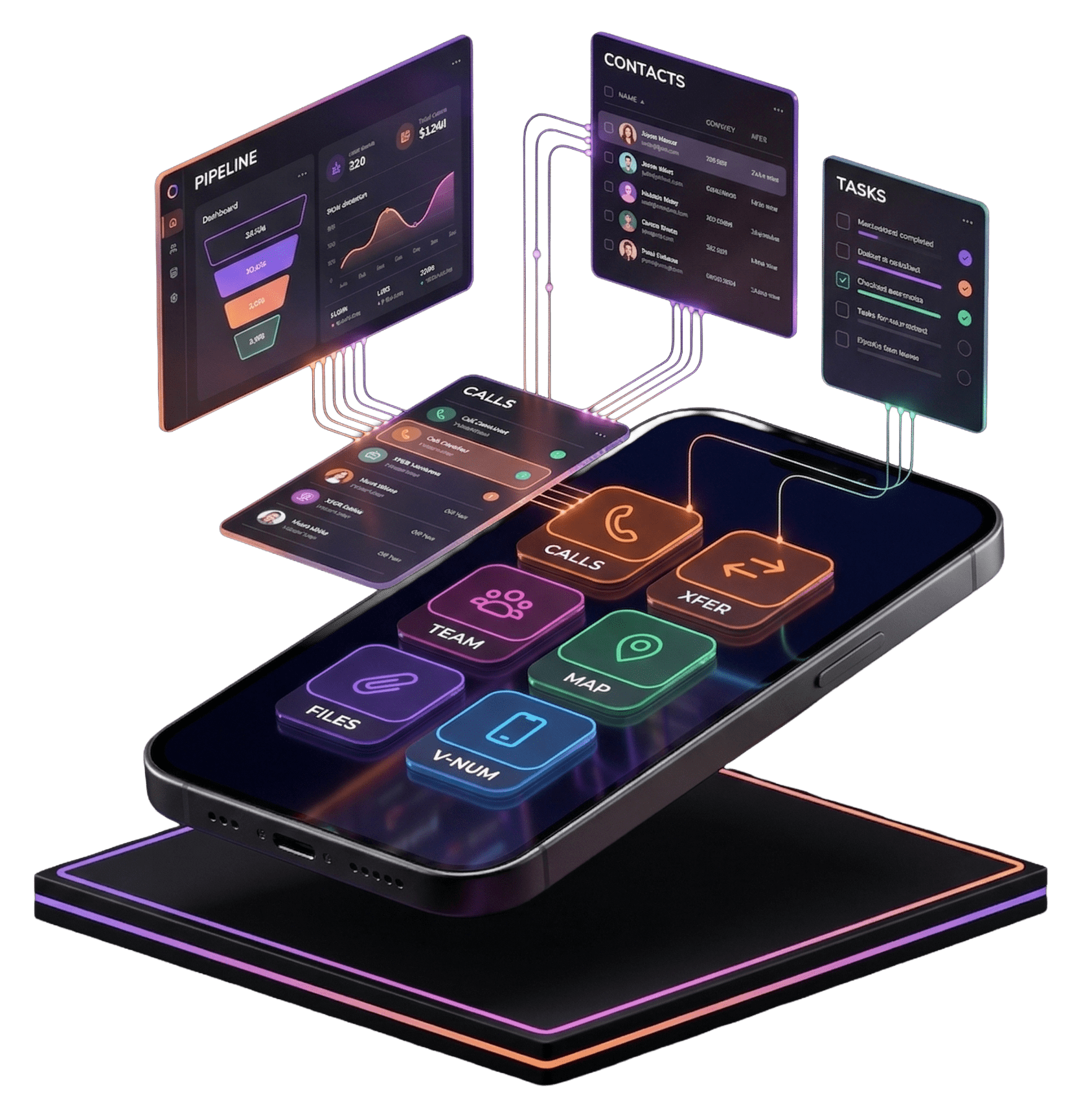
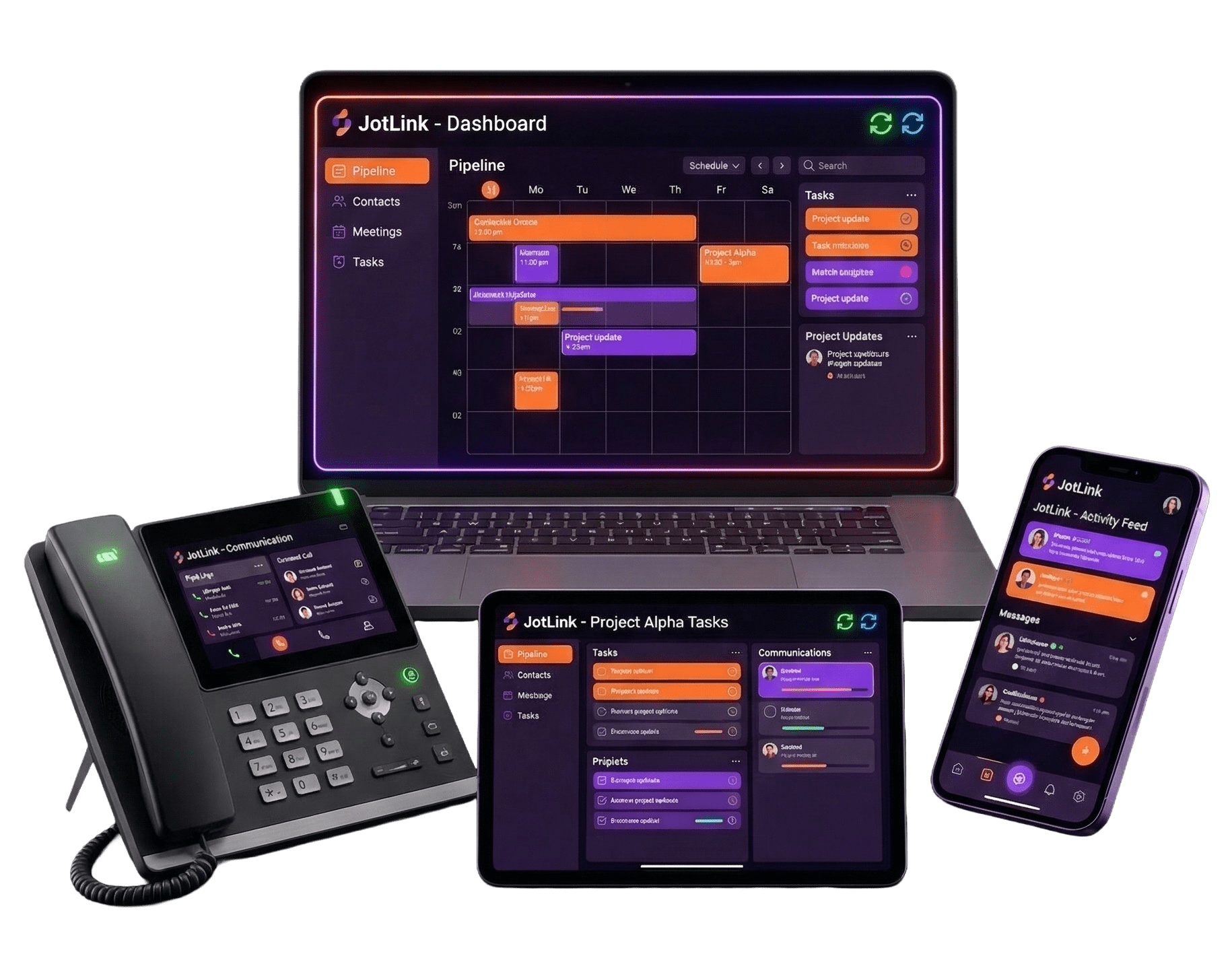
50+ features. One private workspace for your business.
AI 기반
End-to-End Encrypted
70+ Languages
Unlimited Devices
Virtual Numbers
Why Another Messenger?
Popular Messengers Are Like A Noisy Train Station
Everyone is there: friends, former classmates, spammers, relatives, news channels. Trying to work there is like holding a meeting at a train station. Your negotiations, tasks, and files get lost in the noise.
JotLink Messenger is different. It's your private club. Entry by business only.
"Stop scrolling, start scaling. JotLink isn't another social network. It's a dedicated workspace for your business communications."
Order and Calm
You aren't here for social likes. You personally shape your business circle of contacts here.
100% Focus
If a notification comes from here, it means it's business-related. Every time, without exception.
Office Entry by Invitation
Invite only your employees and business partners. Let the noise stay outside your office door.
50+ Business Features
Built Around AI Designed for Business
Six flagship capabilities that set JotLink Messenger apart from every other chat app on the market.
AI First
AI 분석가
Upload a meeting recording. AI analyzes it, summarizes key points, and lets you query the report in chat mode.
AI First
Built-in AI Chat
Draft letters, format ideas, get instant answers right inside the chat. Forward the result without switching apps.
AI First
Auto Translation
You write in your language, your partner reads in theirs. 70+ languages, real-time, semantic not word-for-word.
Productivity
Smart Task Manager
Set tasks directly in chat. Deadlines and assignees locked in a separate interface. Nothing gets lost in the feed.
보안
숨겨진 채팅
Enter a PIN: secret sections appear. Enter a different PIN: no secret chats in sight. Zero hints, zero traces.
보안
익명 그룹
Participants cannot see each other's contacts. Clients and contractors will never negotiate behind your back.
AI First
Your Personal AI Team Member
Forget manual work. AI handles the routine so your team focuses on what only humans can do.
AI 분석가
Record a meeting or phone call, upload the audio. The AI analyzes the recording, provides a structured summary, and you can query the report in chat mode. No more manual meeting minutes.
Built-in AI Chat
Draft a formal letter, format an idea, get an instant answer. Ask AI directly in the chat and forward the result to your partner. No app-switching, no copy-paste routine.
Automatic Translation: 70+ Languages
You write in your language, your partner reads in theirs. The AI translates meaning, not just words. Real-time, seamless, no manual steps required.
AI-Powered Broadcast Channels
Publish once in your language. Every subscriber receives the post automatically in their own language. One message, global audience.
Instant AI Assistance (24/7)
Need help at 3am? The built-in AI support agent answers questions about JotLink features and guides you through any task around the clock.
커뮤니케이션
Your Pocket Business Office
Calls, messages, file sharing, live location, group conferences. Everything your office needs, in one app on every device.
Calls to Any Phone Worldwide
Call any landline or mobile number anywhere on the globe directly from the app. No additional calling app needed.
Seamless Call Transfer
Started a call on mobile? Move it to your desktop with one tap without interrupting the conversation. Transfer to a colleague just as easily.
Group Calls and Conferences
Connect your entire team or bring in an external client for a live conference call. Add people on the fly without hanging up.
Live Location Sharing
Share real-time location with your team. Track couriers, drivers, or field staff with a full movement history. Complete route visibility.
File Sharing and Call Recording
Send files of any format, record calls for compliance or training, and access everything from a secure shared history.
Virtual Numbers
Need a local number in another country? Order it directly in the app. Receive client calls without disclosing your personal number.
Security and Control
Protecting Your Assets While Working With a Team
Privacy isn't a feature you turn on. It's built into every layer of JotLink Messenger from the ground up.
Private Registration
Your account is a virtual login with no link to your personal phone number. It's only used for 2FA. No one knows your real number unless you choose to share it.
익명 그룹
Create groups for projects where participants cannot see each other's contacts. Clients and contractors will never be able to negotiate behind your back.
숨겨진 채팅
Enter a PIN: secret sections appear. Enter any other PIN: the app simply shows that there are no secret chats. No "Wrong PIN," no error messages, no hints.
Geolocation with History
See not only where employees, couriers, or drivers are right now, but also the full history of their movements. Complete route control for your field team.
End-to-End Encryption
Every message, file, voice note, and call is encrypted end-to-end. Nobody, not even JotLink, can access your conversations.
Transformer Chats
A personal chat easily turns into a group by adding a participant, and just as easily returns to a "personal" chat if you remove extra people. No clutter in your chat list.
Convenience and Flexibility
One App Unlimited Devices
Work from any device, manage multiple accounts, stay organized. No overwhelm, no missed messages.
Multi-Account and Device Freedom
One account runs simultaneously on unlimited phones, tablets, and computers. Manage several accounts inside a single app without logging in and out.
Smart Task Manager
Set tasks directly in chat. Deadlines and assignees are captured in a separate interface so assignments never get buried in the message feed.
Auto-Delete Messages
Set any conversation to automatically delete messages after a chosen time period. Clean history, clean mind.
Pinned Chats and Notes
Pin your most important conversations to the top. Use the built-in notes feature as a personal scratchpad that syncs across all your devices.
Transformer Chats
A personal chat becomes a group by adding a participant and returns to personal when they leave. No cluttered chat list, no duplicates.
Complete Feature List
All 50 Features Nothing Hidden
Every capability JotLink Messenger includes. Click any feature to see details.
Upload a meeting recording or phone call. The AI transcribes, summarizes, and extracts key details such as names, dates, topics, and action items. You can then query the report in chat mode, asking follow-up questions directly. Three input methods: record live, upload a file, or use a saved call recording.
An advanced AI assistant available directly in your chat list. Ask it to draft emails, format ideas, analyze data, answer questions, or simplify complex tasks. Get answers instantly and forward the result to any contact without leaving the app.
Every incoming and outgoing message is automatically translated into each participant's preferred language. AI algorithms preserve meaning and context, not just literal words. Enable per-chat from the three-dot menu. Supports 70+ languages. Works in both personal and group chats.
Create broadcast channels with subscription options and admin privileges. Post in your language and AI automatically adapts the content for every subscriber's preferred language. Includes private and public channel modes. Assign admins by swiping left on any subscriber.
Direct access to the JotLink Help Desk around the clock. Chat with the AI Assistant for instant answers, or call 3333 from the app to speak with a live operator. Submit and track support tickets with full history. Available 24/7 without waiting.
High-quality voice calls with free unlimited connectivity within the company, plus the ability to call any external mobile or landline number worldwide. Mute, speakerphone, and on-screen controls available during every call.
Video calls between JotLink users with the flexibility to switch to audio mode in real-time. Start from the Contacts section or long-press the call icon to choose video. Mute your microphone or switch to audio anytime during the call.
Send and receive SMS messages directly to any mobile number, including contacts who don't use JotLink. Go to the Calls section, tap SMS, enter the number or pick a contact, type your message and send. All replies appear in the same thread.
Start a call with one contact and add up to 4 more participants for a total of 5 in one live conversation. Designed for quick team discussions without needing to create a group chat first.
During any active call, tap Transfer and select a contact or manually enter a number. The call is redirected instantly. Works for both internal JotLink users and external phone numbers. No interruption, no conference required.
During a call, tap Hold to place the caller on a hold line with background music playing. They stay connected while you handle something else. Tap Resume Call to bring them back instantly.
Open any group chat and tap the Call icon in the top-right corner. Select which participants to include and start immediately. The number of participants is limited only by the chat size. Audible notifications play when users join or leave. Push alerts sent inside the chat.
When you miss a call, callers can leave voice messages. Access them from the Account section, listen, save, or delete at any time. Messages can be replayed from the same menu whenever needed.
Open the dialpad in the Calls section and enter any international number. The per-minute rate is displayed instantly before you place the call. Also visible from a contact's profile card alongside their details.
Enable call recording in Account settings. Recordings are stored locally on your device. Access them from the Call Recordings section to listen, delete, forward, or send to the AI Analyzer for transcription and summary.
Enable or disable call forwarding with granular rules: forward to internal services or external mobile numbers, including unconditional, out-of-network, busy, or no-answer scenarios. Configure from Account, General settings, Receive Calls.
Manage which caller ID is displayed for your outgoing calls. Choose from all available numbers linked to your account. Configure from the Settings section inside Calls, then tap Caller ID and select the number to display.
Create group chats by tapping the three dots inside any chat and selecting Invite People. Add contacts from your list or enter numbers manually. Remove participants by tapping the chat name, then swiping left on any user. Groups scale to the size of your contact list.
Only the organizer can see participants' real accounts and initiate private conversations. All other members remain anonymous to each other and can only interact within the group. No private messages or calls between members are possible. Perfect for client or contractor groups where you don't want parties networking directly.
Create public or private channels for broadcasting information to subscribers. Set subscription options and assign admin privileges to other users. AI-powered translation adapts every post to each subscriber's language automatically. Invite subscribers via the three-dot menu and assign admins by swiping left on any subscriber.
Create tasks directly from a chat using the speech bubble icon and selecting New Task. Enter a task name, assign one or more members, set a deadline, and save. The task appears in the dedicated Tasks section for tracking and progress updates. Includes reminders and notifications for assigned users.
Share your exact current location or enable live tracking so participants can follow your movement in real-time. Movement history is shown as numbered points on a map, filterable by date and time. Disable live sharing manually when finished. Ideal for tracking couriers, drivers, or field teams.
Tap the paperclip icon in any chat to share photos, videos, files, documents, links, locations, or call recordings. Select file type, choose the item, and tap Send. All shared files are stored in the chat's Resources section organized by category.
Hold the microphone icon to record a voice message. Swipe up to lock hands-free recording, release to stop, then tap Send. For video messages, tap the microphone once to switch modes, then hold the video icon to record. Both formats are delivered instantly in the chat thread.
Swipe left on any chat, group, or channel and tap Pin to keep it at the top of your list for instant access. Pin up to 10 items. To unpin, swipe left again and select Unpin. Pinned items stay in order regardless of incoming message activity.
Create a chat with yourself to collect messages, files, documents, and call recordings for personal reference. Open Chats, tap the speech bubble, select New Chat, add no participants, and name it Notes or any title you prefer. Syncs across all your devices automatically.
Personalize any chat by tapping the three dots and selecting Chat Settings. Change the chat name or avatar to make conversations easier to identify at a glance. Useful for client chats, project groups, or team channels that need clear labeling.
Temporarily disable notifications for any specific chat without leaving or removing yourself. Tap the three dots inside the chat and select Mute. To re-enable, return to the same menu and select Unmute. You stay in the chat but stop receiving alerts.
Every file, photo, video, audio clip, link, and document shared in a chat is automatically saved to the Resources section. Access it from the three-dot menu inside any chat. Browse by category, select multiple files to download, forward, or delete, and free up storage space directly from here.
Hide any chat by swiping left and selecting Hide. Hidden chats are only visible after entering the correct PIN. Enter a wrong PIN and the app shows nothing, giving no indication that hidden chats exist. Multiple incorrect attempts trigger a temporary lock. Access via the three-dot menu or by holding the Chats button.
All messages, files, voice notes, and calls are encrypted end-to-end. Nobody, including JotLink, can access the content of your conversations. Encryption is active by default on every account with no setup required.
Set any conversation to automatically delete all messages after a chosen time period, from 1 minute up to 24 hours. Messages remain visible until the timer expires. Configure from the three-dot menu inside any chat, select Auto-Delete Messages, choose the timer, and save.
Your JotLink account is a virtual login with no mandatory link to your personal phone number. Your number is used only for 2FA verification. Other users cannot discover your real number unless you deliberately share it in your profile.
Decide whether others see your phone number or username when you call or message them. If you choose username, only your username is visible. If the other person already has your number saved, they will always see it. Configure from Account, General settings, Show my phone number.
View and manage your full list of blocked users from Account, General settings, Blocked Users. Swipe left on any entry to unblock. Contact Management also lets you block numbers directly from a contact's profile to prevent all calls and messages from that number.
A personal one-on-one chat can be converted to a group by simply adding another participant. Remove the extra person and it returns to a personal chat. No duplicate chats created, no clutter in your list. Keeps your chat history clean and organized.
Add up to three separate accounts within a single app, each with its own history, data, and services. Switch between accounts by tapping the switch icon next to your name, pressing and holding the Account button, or going to Account, Profile Settings, Switch Account. Add accounts via QR code or manual credentials.
Log into your JotLink account on any number of devices simultaneously using your personal QR code or the welcome email link. Access your QR code from Account, Profile Settings, Account QR Code. All devices stay in sync in real-time.
View your current balance, remaining call minutes, SMS credits, and mobile data usage from the Account tab. Top up by going to Account, Purchases. Options include: credit limit, calling packages, SMS bundles, LTE/3G data plans, and purchasing new phone numbers (mobile, landline, or toll-free).
Edit your avatar, display name, personal phone number, and email from Account, Profile Settings. View your account QR code for sharing or device login. Log out or delete the account entirely from the same screen.
Automatically sync your device contacts on setup or later from Settings. Contacts are sorted into two tabs: all contacts and JotLink users only. From any contact profile you can call, video call, chat, or send SMS. Share or block contacts directly from the profile menu.
Customize the app's visual appearance from Account, General settings, Theme. Choose between light mode, dark mode, or follow the system default. Changes apply immediately across the entire app interface.
A unified section storing all files shared across all your chats and groups. Access from Account, General settings, Resources. Browse by category: Photos, Videos, Audio, Documents. Select multiple files to delete, forward, download, or save. Helps manage storage directly from one place.
Share your JotLink account using a personal QR code or a shareable link. Access from Account, Share. Others can scan or tap to connect instantly. If they don't have JotLink installed, the link redirects them to the App Store or Google Play. After installation they are automatically connected to your account.
Open a support ticket directly from Account, Open a Ticket. Create new requests or check the status of existing ones. Full ticket history is saved for future reference. For urgent issues, use Instant Assistance to reach an AI agent or live operator immediately.
The Privacy Policy outlines exactly how JotLink collects, uses, stores, and protects your personal data in compliance with applicable regulations. Access it from Account, Privacy Policy. The page covers your rights, security measures, and the app's commitments to data privacy.
Order an eSIM or a mobile data package for international travel directly from within the JotLink app. Choose your destination, select a plan, and activate instantly. Transparent pricing, no SIM card search, no contracts required. Works on any eSIM-compatible device.
Purchase mobile, landline, or toll-free phone numbers from any country directly through the Purchases section. Receive calls on that number without revealing your personal number. Manage multiple numbers on a single account. Available in the Account, Purchases menu.
Get Started Today
Your Private Business Office Is One Download Away
Join the businesses already running their communications inside JotLink. Free to download, free to start.