Close More Deals Never Lose a Client All in One CRM
From first lead to closed deal, every client call, message, and email tracked automatically. JotLink CRM connects your sales pipeline, communications, and AI analytics in one platform built for real teams.
"The best CRM is the one your team can't work without. JotLink fills itself automatically."
35+ features. One CRM for sales, support, and every client conversation.
Analyse de l'IA
Pipeline de vente
Gestion des prospects
Omnichannel
Automatisation du marketing
Why JotLink CRM?
Most CRMs Track Data JotLink CRM Runs Your Business
Most CRMs require your team to manually log every call, copy emails into notes, and update deal stages by hand. The result: incomplete data, missed follow-ups, and a tool your team quietly avoids.
JotLink CRM connects directly to your phone system, messenger, and email. Every call is logged automatically. Every message is saved to the client record. Your pipeline updates itself.
"When a client calls, your CRM should already know who they are, who manages them, and what deals are open before you say hello."
Zero Manual Data Entry
Every call, message, and email logged automatically. No one needs to update the CRM by hand: it fills itself from your actual communications.
Full Client History
Complete timeline per client: calls, chats, deals, tasks, and notes. Your team sees the full picture before every conversation.
AI Grades Every Conversation
Ask any business question by text or voice and get instant answers from your data. No reports to configure. AI evaluates every call and chat against your KPIs automatically.
35+ Business Features
Built for Sales Teams Powered by AI
Six core capabilities that separate JotLink CRM from every traditional contact manager and generic pipeline tool.
Vente
Pipeline de vente
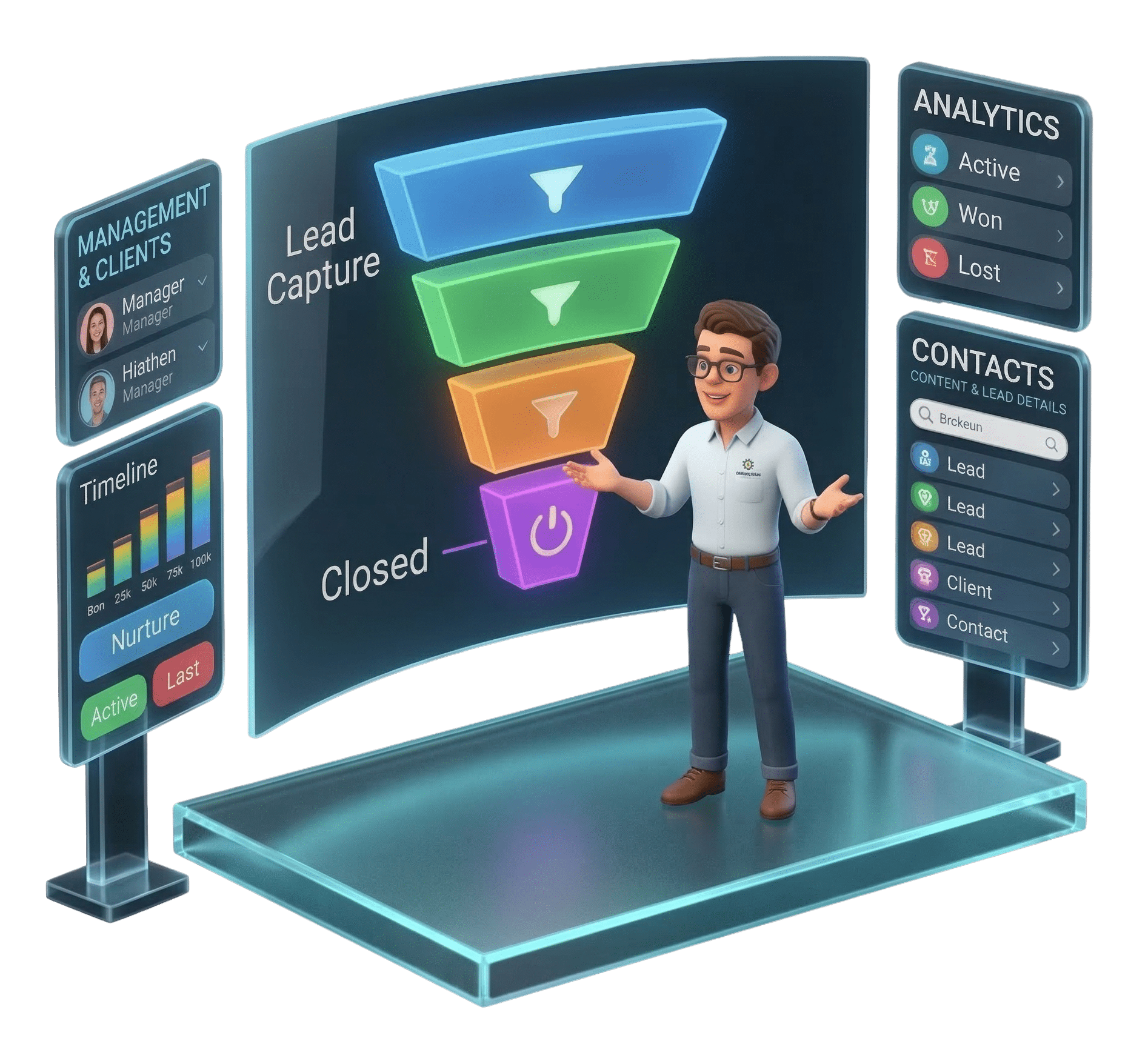
Visualize every deal from first contact to closed. Drag, drop, and track stages: spot bottlenecks before they cost you revenue.
Vente
Gestion des prospects
Capture every inquiry automatically from calls, forms, and social. Assign to the right rep and track status in real time.
AI
Analyse de l'IA
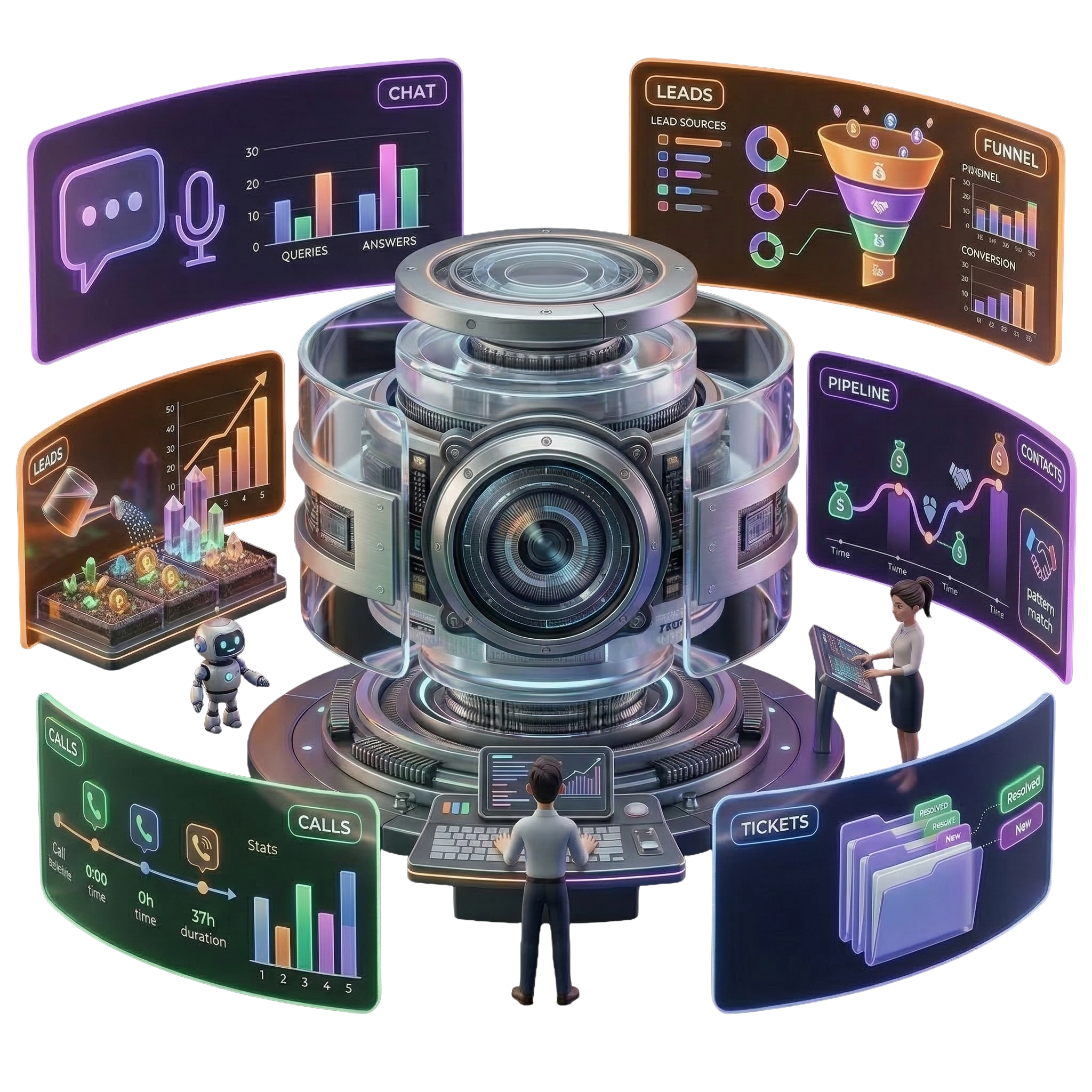
Ask any question about your sales data by text or voice. How many leads this month? Why are we losing deals? AI answers instantly from your CRM data, no report building needed.
Canaux
Omnichannel
Calls, SMS, email, Telegram, Facebook, and Instagram. All logged per client automatically. One record, every channel.
Automatisation
Automatisation du marketing
Email and SMS flows that run automatically. Nurture leads, re-engage clients, and send reminders without manual effort.
Operations
Panneau de l'opérateur
Real-time view of every agent, active call, and queue. Intervene when needed and distribute workload during peak times.
Sales and Pipeline
From First Lead to Closed Deal
Every stage of your sales process visible, trackable, and manageable in one place. No spreadsheets. No lost opportunities.
Pipeline de vente
Drag deals through stages with full visibility. Identify stalled opportunities and forecast revenue without spreadsheets.
Gestion des prospects
Every inquiry captured from calls, forms, and social. Auto-assigned with status tracking from first contact to qualified opportunity.
Offres
Create deal cards with value, stage, responsible manager, and notes. Keep the entire team aligned on every open opportunity.
Clients
Full client database with status labels, assigned manager, interaction history, and one-click call or message from the client card.
Gestion des contacts
Organize every contact with filters by type, history, and last interaction. Find anyone instantly with smart search.
Chronologie
Chronological view of all activity for any client or deal: calls, tasks, messages, notes, and stage changes in sequence.
AI and Analytics
Your AI Eye on Every Deal
AI processes every call and conversation automatically. Your CRM generates insights your team doesn't have time to find manually.
Analyse de l'IA
Ask any question by text or voice in the AI chat and get instant answers from your CRM data. How many leads last month? What are the top reasons for lost deals? No dashboards to build.
Tableau de bord
Complete overview: tasks due, lead sources, call stats, pipeline health, and conversion funnel. The whole business at a glance, in real time.
Lead Statistics
Track new leads by source, status, and conversion rate. Identify which channels bring the best clients and optimize your marketing spend.
Deal Analytics
Win rates, time-to-close, stage conversion, and individual deal performance. Spot the patterns that separate your best deals from the ones that go cold.
Call Statistics
Detailed call logs by type, duration, agent, and outcome. Identify peak hours, measure agent performance, and spot missed opportunities.
Support Ticketing
Log, track, and resolve every client request in one place. Full history per ticket with status labels, priority levels, and response tracking.
Omnichannel
Every Conversation In One Client Record
Calls, emails, SMS, chats, and social messages. All saved automatically to the client card. Zero manual work required.
Appels
Every inbound and outbound call logged automatically with recording, duration, agent, and outcome. Access from the client card with one click.
Courriel
Incoming and outgoing emails stored per client with full thread history and attachments. Never lose a single conversation.
SMS
Two-way SMS integrated directly in the client card. Reply from CRM and keep all messages in the same thread alongside calls and emails.
Formulaires de prospects
Website form submissions captured automatically as CRM leads. Manager assigned and follow-up task created from the moment of submission.
Messagers
JotLink Messenger and Telegram displayed in a unified CRM inbox with full conversation history per client.
Réseaux sociaux
Facebook, Instagram, and LinkedIn DMs and comments logged per client. Respond directly from CRM without switching platforms.
Automation and Tools
Automate the Routine Focus on Revenue
Less time on admin. More time on clients. JotLink CRM automates the repetitive work so your team focuses on conversations that convert.
Automatisation du marketing
Build email and SMS flows triggered by lead status, time delay, or behavior. Nurture leads and re-engage clients automatically.
Calendrier
Schedule meetings, deadlines, and follow-ups with full team visibility. Shared calendar keeps everyone accountable and nothing falls through the cracks.
Gestion des tâches
Create, assign, and track tasks per client or deal. Deadline alerts and notifications keep every team member on track without manual chasing.
Intégration de Messenger
JotLink Messenger and connected third-party messengers in one CRM interface. Handle all client chats in one place with unified history.
Intégration des médias sociaux
Connect Facebook, Instagram, and LinkedIn. All DMs and comments appear in CRM and can be answered instantly from one interface.
Marché des applications
Open API and third-party marketplace for extended functionality. Connect your existing tools and automate workflows between systems.
Complete Feature List
All 35 Features Nothing Hidden
Every capability JotLink CRM includes. Click any feature to see details.
Every client interaction is captured automatically: inbound and outbound calls with recordings, messages from JotLink Messenger and third-party apps, SMS threads, and emails. All saved under the client record in chronological order. Your team sees the full history before every call or meeting.
The dashboard gives you a real-time overview of everything happening in your business: tasks due today, new leads by source, pipeline health by stage, call volume trends, and your team's conversion funnel. Updated live. Managers see the full picture; agents see their own metrics.
Build automated email and SMS sequences triggered by lead status changes, time delays, or specific behaviors. Use flows to nurture cold leads, re-engage inactive clients, send appointment reminders, or follow up after a deal closes. Each flow runs independently for every matching contact.
Shared team calendar for scheduling meetings, follow-ups, deadlines, and client calls. Events can be linked directly to a client card or deal. Agents see their own schedule; managers see the full team. Reminders sent automatically before each event.
Create tasks directly from client cards, deals, or the global task list. Set deadlines, priorities, and assign to any team member. Agents receive instant notifications and see overdue tasks highlighted. Managers track completion rates per agent and per client.
The client database stores every company or individual with their full profile: contact details, assigned manager, status label (Active, VIP, Inactive), open deals, pending tasks, and complete interaction history. Call or send a message directly from the client card without switching apps.
All contacts in one searchable, filterable database. Filter by contact type, interaction history, assigned agent, company, or last activity date. Sort and export filtered lists. Add custom fields per contact for industry-specific data. Smart search finds anyone in seconds.
The operator panel gives supervisors a live view of all active calls, agent availability, queue depth, and wait times. Monitor, listen, or reassign calls without leaving the panel. See which agents are busy, idle, or offline. Essential for managing peak call periods and ensuring clients are served promptly.
Kanban-style pipeline where each column represents a stage in your sales process. Drag deal cards between stages as they progress. See the total value at each stage, filter by agent or date, and identify where deals typically stall. Customizable stages match any sales methodology.
Every inquiry becomes a tracked lead with source tag, status, assigned agent, and full communication history. Leads are created automatically from inbound calls, website forms, and social inquiries. Manually add leads from any other source. Set follow-up tasks and convert to deals with one click when qualified.
Each deal card contains: deal name, value, linked client, responsible manager, expected close date, pipeline stage, notes, attached files, and a complete activity log. Update any field in real time. All team members see the same current state. Win or lose a deal and the outcome feeds directly into analytics.
The timeline shows every action taken on a client or deal in strict chronological order: calls made, tasks completed, notes added, stage changes, emails sent, and messages exchanged. Filter by activity type or date range. Essential for onboarding new agents to an existing client relationship.
Log every client support request as a ticket with priority, category, assigned agent, and status. Track resolution time, add internal notes, and view the full history of every ticket per client. Managers see all open tickets by priority. Ensure no request goes unanswered or forgotten.
Periodic screenshots of agent screens captured with full consent and disclosure. Managers can review screenshots from the agent's activity log at any time. Configure capture frequency and which agents are monitored. Used for compliance verification, quality assurance, and remote team management.
JotLink Phone System integrates natively with CRM. Every call is logged automatically under the correct client with recording, agent, duration, and outcome. When an existing client calls, their CRM card pops up instantly. Make outbound calls directly from the client card with one click.
Connect JotLink Messenger and supported third-party messengers to your CRM. All client chats appear in a unified inbox and are automatically linked to the matching client record. Reply to messages directly from CRM without switching apps. Full chat history visible on the client card.
Connect Facebook pages, Instagram accounts, and LinkedIn profiles to CRM. All incoming DMs and comments appear in a unified social inbox. Reply from CRM without logging into each platform. New contacts are matched to existing clients or auto-created as leads with source tagged as Social.
The application marketplace lets you extend CRM with third-party tools via one-click installs. For custom integrations, use the full REST API to sync data, trigger actions, and build workflows. Webhooks deliver real-time event notifications to your own servers. Connect any tool in your tech stack.
Every call made or received via JotLink is automatically logged to the corresponding client record. The call log shows timestamp, direction, agent, duration, and a direct link to the recording if enabled. Filter by date, agent, or call type. Access all call logs for any client from their card.
Connect your business email to CRM. All emails sent and received are automatically stored under the corresponding client record with full thread history and attachments. Send new emails directly from the client card. Track open rates and reply times. Never search your inbox for a client email again.
Send and receive SMS directly from any client card in CRM. Full two-way SMS thread visible alongside calls and emails on the same card. Delivery status tracked for every outbound message. Use SMS for quick follow-ups, appointment confirmations, and reminders without leaving the CRM.
Generate lead capture forms from CRM and embed them on your website. Every form submission creates a new CRM lead automatically with all submitted data, source tag, and assigned manager per your routing rules. No manual entry. Response time drops from hours to seconds.
All conversations from JotLink Messenger and connected third-party messengers are saved per client with full history. Reply directly from the CRM inbox or the client card's Messengers tab. Never lose a chat thread. Response times tracked per agent for quality monitoring.
All social media inquiries, DMs, and comments from connected Facebook, Instagram, and LinkedIn accounts are logged per client in CRM. Respond directly from the CRM inbox. New contacts from social are auto-created as leads. Full interaction history visible on the client card under Social Networks tab.
AI Analytics works as a conversational interface: ask any question about your business by text or voice and get an instant answer pulled directly from your CRM data. Ask how many leads came in last month broken down by status, what the main reasons are for lost deals, which manager has the best conversion rate, or which channel brings the most revenue. AI also evaluates every recorded call and chat against your custom KPIs: professionalism, script compliance, objection handling, and client satisfaction, scoring each interaction automatically.
Full lead analytics dashboard showing new leads by day, source, agent, and status. Track conversion rates from lead to opportunity and opportunity to deal. Measure average time-to-first-contact. Identify your best-performing sources and optimize marketing spend accordingly.
Contact analytics shows engagement levels across your entire database: which contacts are most active, which haven't been contacted in a set period, activity breakdown by type, and new contacts added over time. Use to identify re-engagement opportunities and measure database health.
Task analytics tracks created vs completed tasks per agent, overdue rates, average completion time, and workload distribution. Identify agents who are overloaded and redistribute before deadlines are missed. View task performance per client or deal to ensure nothing falls through the cracks.
Pipeline analytics shows total value at each stage, stage-to-stage conversion rates, average time spent per stage, and win vs loss ratios by period. Identify exactly where deals stall in your process and what changes improve conversion. Filter by agent, date, or source for granular insights.
Deal analytics breaks down win rates, average deal value, time-to-close, and loss reasons by agent, date, and source. Compare periods to identify trends. Spot the deal types and sources that close fastest and optimize your sales focus accordingly. Essential for accurate revenue forecasting.
Email analytics tracks total emails sent and received per agent per period, open rates for outbound campaigns, average response time, and reply rate. Compare agent email activity to identify who is following up consistently and who needs coaching. Optimize subject lines and send times based on open rate data.
Detailed call analytics: total calls by type and direction, average call duration, missed call rate, peak hours chart, and call volume per agent per period. Identify when your team is most and least busy. Track missed call trends and adjust staffing. View agent-level call performance for coaching.
SMS analytics tracks messages sent and received per agent, delivery success rates, reply rates, and total SMS volume per period. Measure the effectiveness of SMS campaigns and automated follow-up sequences. Compare SMS engagement with email and call data to optimize your channel mix.
Messenger analytics measures chat volume per platform, average response time per agent, conversation length trends, and peak messaging hours. Identify which messenger your clients prefer most and optimize agent coverage accordingly. Track response time improvements over time to measure service quality.
Social analytics measures incoming messages and comments per platform (Facebook, Instagram, LinkedIn), response rate, average reply time, and leads generated from each channel. Compare platforms to identify where your audience is most active. Measure how well your team responds to social inquiries.
Ready to close more deals?
Your CRM Should Work As Hard As You Do
Start with JotLink CRM and see every client, deal, and conversation in one place from day one. No setup headaches. No manual data entry.